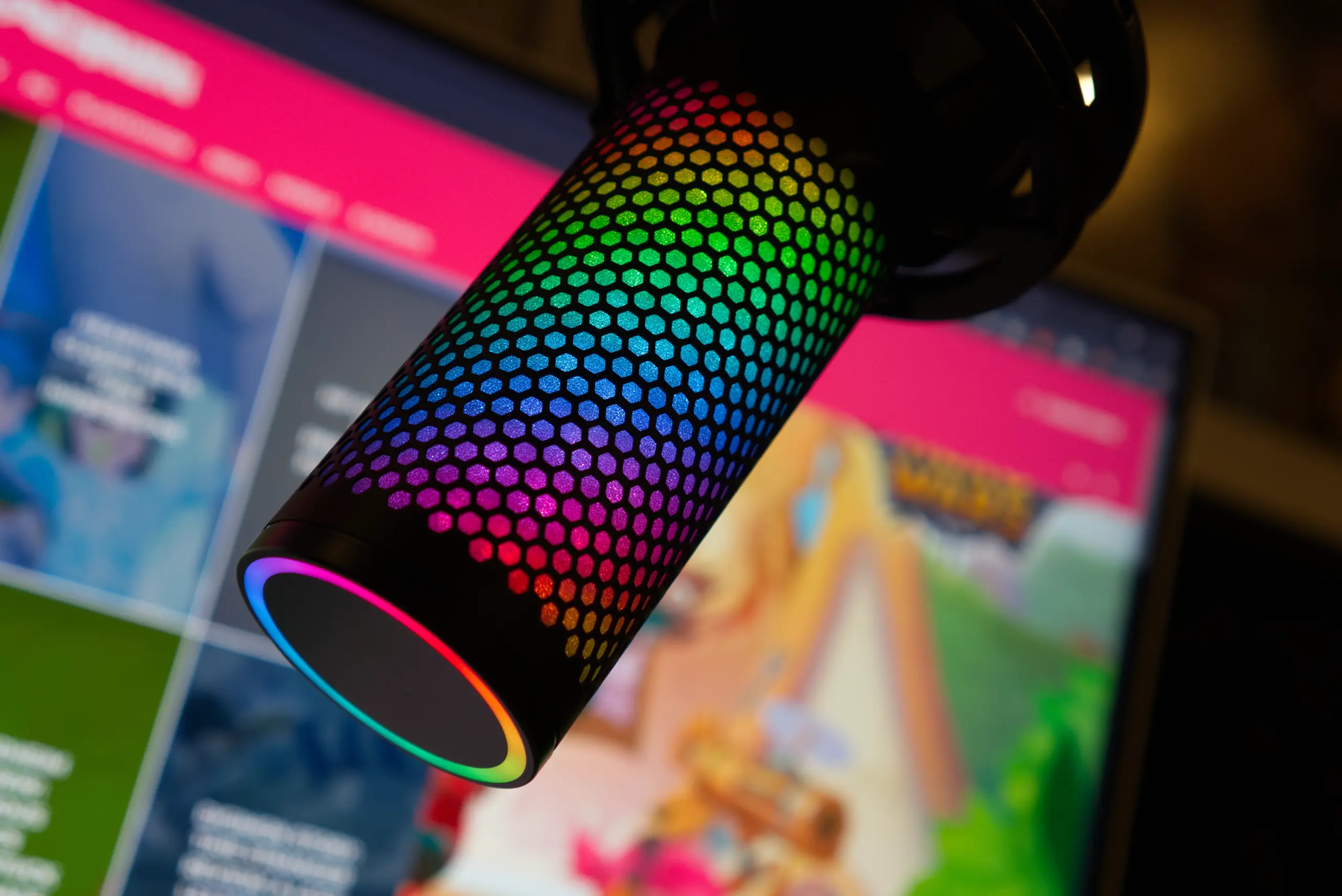

The HyperX QuadCast 2 S ($199.99 MSRP, currently $150 on sale) takes the beloved QuadCast formula and cranks the specs to studio-grade levels that most streamers will never need. The headline 192 kHz / 32-bit recording capability sounds impressive on paper, but realistically, gamers streaming on Twitch or chatting on Discord won’t benefit from resolution that rivals professional mastering equipment. What you will appreciate: the same excellent tap-to-mute functionality, four selectable polar patterns, customizable RGB lighting, and a redesigned shock mount that finally ditches the screw-in attachment for a twist-and-pull mechanism.
The Elgato Wave:3 ($149.99) offers more sophisticated mixing software with Wavelink integration, though it lacks multiple polar patterns. The less expensive QuadCast 2 ($150) delivers 96 kHz / 24-bit recording with red-only lighting if you can live without the RGB. For streamers who want a visually striking microphone that sounds great out of the box without any audio expertise, the QuadCast 2 S delivers, even if its flagship spec is overkill.
The Bottom Line
The HyperX QuadCast 2 S sounds great and looks even better with its customizable RGB lighting, though the 192 kHz / 32-bit recording is overkill for its target audience of streamers and gamers.
Pros
- Crisp, warm vocal reproduction out of the box
- Four selectable polar patterns for versatile recording
- Intuitive tap-to-mute with visual LED feedback
- Clever polar pattern indicator via light ring
- Redesigned shock mount with twist-and-pull removal
Cons
- 192 kHz / 32-bit is overkill for streaming and gaming
- $50 RGB premium over QuadCast 2 is steep
- Ngenuity software is too barebones
- Only passable at rejecting inconsistent background noise
Tested Configuration
| Spec | Details |
|---|---|
| Type | USB Condenser Microphone |
| Capsules | Three 14mm electret condenser elements |
| Sample Rate | 192 kHz / 32-bit |
| Polar Patterns | Cardioid, Omnidirectional, Bidirectional, Stereo |
| Frequency Response | 20 Hz – 20,000 Hz |
| Sensitivity | -7.5dB (1V/Pa at 1kHz) |
| Connection | USB-C with 3.5mm headphone monitoring |
| Price | $199.99 MSRP ($150 on sale) / CA$269.99 |
Design: The Same Iconic Look, Refined
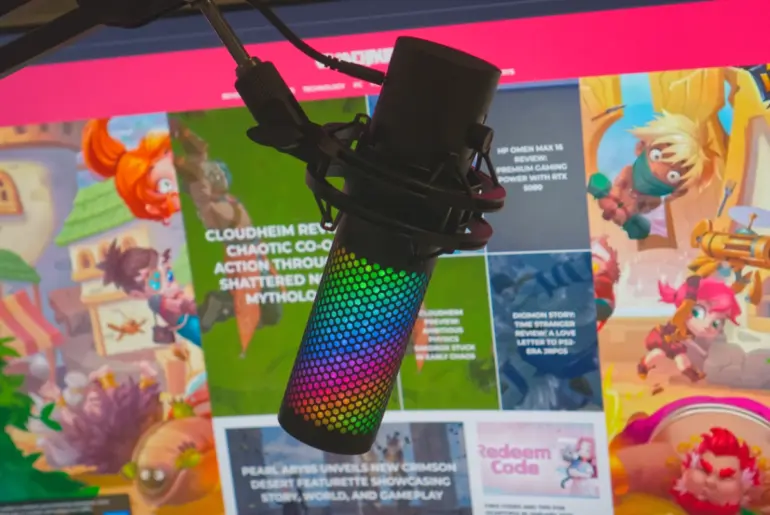
The QuadCast 2 S maintains the cylindrical design that made the original QuadCast instantly recognizable on countless Twitch streams. The microphone measures 8.375 inches (212.73mm) tall by 2.125 inches (53.98mm) in diameter. Mounted on the included desktop stand, it stands just under 11 inches (279.4mm) tall, with a base roughly 5 inches (127mm) across.
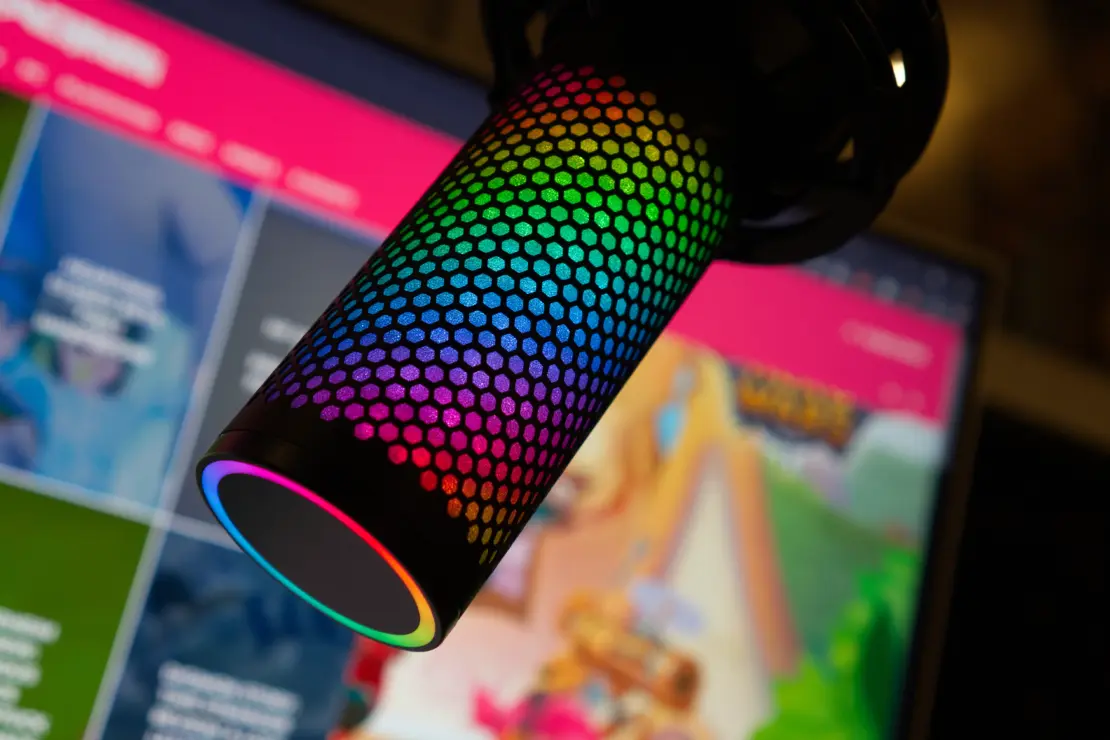
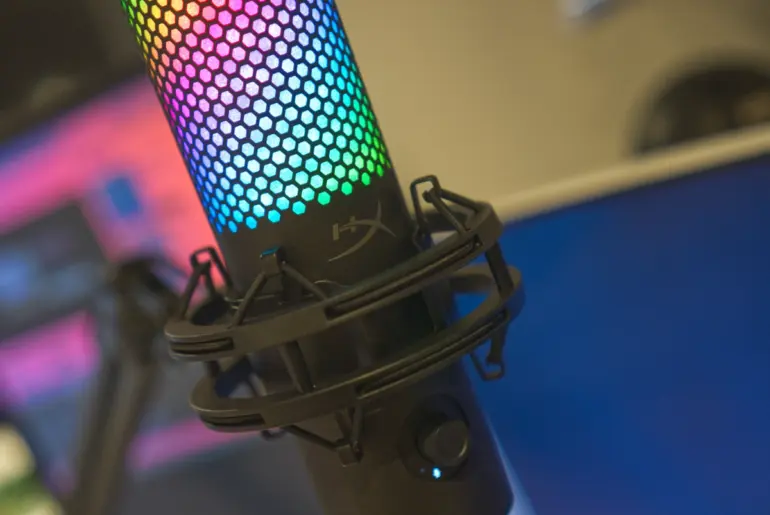
The internal mesh pop filter sits behind a metal grille with a honeycomb pattern. When plugged in, the mesh lights up with bright, customizable aRGB lighting, the key differentiator from the red-only QuadCast 2. Currently, HyperX offers the QuadCast 2 S in black only, though a white variant will likely follow.
Weight and Mounting
The microphone weighs 12.16 ounces (344.7g) alone and 17.21 ounces (488g) with the shock mount attached. The desktop stand adds another 9.7 ounces (275g). This makes it slightly heavier than the original QuadCast / QuadCast S, which weighed 11.9 ounces (336g) with shock mount. HyperX’s Caster boom arm supports up to 2.2 pounds (1kg), making it a natural pairing for this microphone.
HyperX redesigned the shock mount attachment. The mic now connects via two spring-loaded pins instead of screwing in, so removal requires a simple twist and pull. The shock mount includes 3/8″ and 5/8″ threading for standard boom arm compatibility.
Physical Specifications:
- Dimensions: 8.375 x 2.125 inches (212.73 x 53.98mm)
- Weight (mic only): 12.16 oz (344.7g)
- Weight (with shock mount): 17.21 oz (488g)
- Stand weight: 9.7 oz (275g)
- Cable: 9.8-foot (3m) braided USB-C to USB-A
Ports and Connectivity
On the back of the microphone, you’ll find the USB-C port and a 3.5mm headphone monitoring jack. HyperX thoughtfully offset these ports from center so the desktop stand doesn’t interfere with your cables. The included 9.8-foot braided USB-C to USB-A cable provides plenty of reach.
Controls: Multi-Function Knob Does It All
The front-mounted multi-function knob handles gain, monitor volume, monitor/playback mix, and polar pattern selection. Twist to adjust the default function (mic gain). Press the button to cycle through monitor volume (yellow indicator), playback/monitor mix (blue), and gain (pink). The monitor functions only activate when headphones are plugged into the 3.5mm jack.
Press and hold the button to cycle through polar patterns. Here’s where HyperX added a genuinely clever touch: a light ring around the top of the microphone displays the selected polar pattern visually. The red illuminated section shows which direction the mic is currently accepting input. This intuitive visual indicator beats the tiny symbols on the original QuadCast.
When you’re not adjusting settings, the light ring around the knob functions as a VU meter, bouncing in response to your audio levels.
Tap-to-Mute
The top of the microphone remains a capacitive mute button. A light touch mutes the mic instantly, and all the lights turn off to confirm the muted state. This feature worked flawlessly in my testing and remains one of the best implementations of quick-mute on any USB microphone.
Audio Quality: Great Sound, Excessive Specs
The QuadCast 2 S’s headline feature is its 192 kHz / 32-bit sample rate and bit depth, a massive jump from the original QuadCast’s 48 kHz / 16-bit. But here’s the uncomfortable truth: almost nobody buying a USB gaming microphone needs 192 kHz / 32-bit resolution. Most streamers won’t even need more than 48 kHz / 16-bit for Twitch or Discord.
The 192 kHz / 32-bit spec matters for studio-level mastering work, not for gaming streams that compress audio anyway. If you genuinely need this resolution, you should probably look at XLR microphones like the Rode NT1 5th Generation, which offers 32-bit float recording with dual USB/XLR connectivity for actual professional workflows.
Real-World Performance
Specs aside, the QuadCast 2 S performs exactly as you’d expect from a refined QuadCast. Vocals sound crisp and clear with just enough warmth to make you sound friendly without coloring your voice artificially. The cardioid polar pattern combined with the built-in shock mount handles consistent background noise (like PC fans) reasonably well.
However, the mic only does a passable job rejecting inconsistent background noise like keyboard typing. Even with a relatively quiet keyboard, I heard some key clicks bleed through. The internal pop filter helps with plosives, but you’ll probably want an external pop filter for serious recording work.
Polar Pattern Versatility
Having four polar patterns sets the QuadCast 2 S apart from most gaming microphones that only offer cardioid:
- Cardioid: Standard front-facing pickup for solo streaming
- Omnidirectional: Captures sound from all directions for room ambiance
- Bidirectional: Front and back for two-person podcasts
- Stereo: Left/right separation for ASMR or instrument recording
Most streamers will stick with cardioid, but having options for interviews, ambient recording, or musical instruments adds legitimate versatility.
Software: Ngenuity Does the Minimum
HyperX’s Ngenuity software (available from the Microsoft Store) provides basic controls: gain, monitor volume, monitor/playback mix, mute, polar pattern selection, and a high-pass filter. That’s it.
I typically criticize peripheral software for bloat (nobody needs a virtual pet to change mouse DPI), but Ngenuity swings too far in the other direction. For a $200 microphone with premium RGB lighting, the software feels underdeveloped.
Lighting Customization
The main reason you’ll open Ngenuity is lighting customization. The mic ships with a rainbow wave pattern, but you can choose from several effects and customize colors to match your setup. You can also turn lighting off entirely, though if RGB doesn’t appeal to you, the non-S QuadCast 2 saves $50.
Who Should Buy the HyperX QuadCast 2 S
RGB-Loving Streamers
If your setup already features coordinated RGB lighting and you want a microphone that participates in the light show, the QuadCast 2 S fits naturally. The customizable lighting syncs with the visual identity streamers cultivate for their channels.
Content Creators Who Value Convenience
The four polar patterns, intuitive on-mic controls, and tap-to-mute make this a capable all-in-one solution. You don’t need an audio interface, preamp, or mixing knowledge. Plug it in and start recording.
Podcasters Recording Multiple Guests
The bidirectional and omnidirectional patterns handle two-person or roundtable discussions without requiring multiple microphones. Not ideal for professional podcast production, but workable for casual recording.


Who Should Look Elsewhere
If you don’t care about RGB lighting, the QuadCast 2 delivers identical audio quality with 96 kHz / 24-bit recording for $50 less (or $150 at MSRP versus $200). The only difference is red-only lighting instead of customizable RGB.
If you want more sophisticated software control, the Elgato Wave:3 ($149.99) integrates with Wavelink for virtual mixing and routing capabilities that Ngenuity can’t match. It only offers cardioid pickup, though.
If you actually need 32-bit recording for professional work, look at XLR microphones like the Rode NT1 5th Generation that support both USB and XLR connectivity for true studio flexibility.
Competitive Context: QuadCast 2 S vs. Alternatives
The QuadCast 2 S competes at the premium end of USB gaming microphones. The Elgato Wave:3 ($149.99) offers superior software integration through Wavelink but only provides cardioid pickup. The Blue Yeti X ($169.99) feels dated but adds real-time LED metering. The Razer Seiren V3 Chroma ($129.99) undercuts everyone on price with its own RGB implementation.
The most direct competitor is HyperX’s own QuadCast 2 at $150, which offers identical audio performance with 96 kHz / 24-bit recording. You’re paying a $50 premium purely for RGB lighting with the QuadCast 2 S.
Canadian buyers will find the QuadCast 2 S at CA$269.99 through Amazon.ca, Best Buy Canada, and HP Canada. Watch for sales that occasionally match the current US discount.
Frequently Asked Questions
Do I actually need 192 kHz / 32-bit recording for streaming?
No. Most streaming platforms compress audio significantly, making anything beyond 48 kHz / 16-bit essentially wasted resolution. The high specs matter for professional audio production with extensive post-processing. For Twitch, Discord, or YouTube, you won’t hear a difference.
Does the HyperX QuadCast 2 S work with Xbox?
No. Microsoft does not support standard USB microphones on Xbox consoles. This applies to nearly all USB mics, not just the QuadCast 2 S. Xbox users need a headset with an integrated microphone or specialized Xbox-compatible audio solutions.
Where can I buy the HyperX QuadCast 2 S in Canada?
The QuadCast 2 S is available through Amazon.ca, Best Buy Canada, and HP Canada at CA$269.99. Memory Express and Canada Computers may also stock HyperX peripherals. Watch for sales that occasionally bring the price closer to US levels.
Does the QuadCast 2 S pick up keyboard typing?
Somewhat. In cardioid mode, the mic focuses on sound from directly in front while rejecting audio from the sides and rear. Consistent background noise (PC fans) is handled well, but inconsistent sounds like typing bleed through at passable but noticeable levels. Mechanical keyboards with loud switches will be more audible. Position the keyboard to the side or behind the mic for best results.
Can I use the QuadCast 2 S without Ngenuity software?
Yes. All essential controls (gain, polar pattern, mute, monitor volume) are accessible via the on-mic knob. Ngenuity adds lighting customization and a high-pass filter, but the microphone works fully without software on Windows, Mac, PlayStation, and other USB audio compatible devices.
Is the HyperX QuadCast 2 S worth the extra $50 over the QuadCast 2?
Only if RGB lighting matters to your stream aesthetic. The audio hardware is identical. The QuadCast 2 offers 96 kHz / 24-bit recording (still more than most streamers need) with red-only lighting. If coordinated RGB across your setup is a priority, the QuadCast 2 S delivers. Otherwise, save the $50.
The Verdict
The HyperX QuadCast 2 S delivers excellent audio quality and eye-catching RGB lighting, but its flagship 192 kHz / 32-bit specification is overkill for its target audience. Streamers and gamers simply don’t need studio-grade resolution that gets compressed away by Twitch and Discord anyway.
What the QuadCast 2 S does well: it sounds great out of the box without requiring audio expertise, the tap-to-mute is perfectly implemented, the redesigned shock mount is a genuine improvement, and the polar pattern light ring is a clever usability addition. The RGB lighting will appeal to streamers who coordinate their setups.
The $50 premium over the functionally identical QuadCast 2 is steep when you’re only gaining RGB customization. At the current $150 sale price, the QuadCast 2 S represents fair value. At full MSRP ($199.99), the QuadCast 2 at $150 makes more sense unless RGB is non-negotiable.
Canadian buyers should monitor Amazon.ca and Best Buy Canada for sales. At CA$269.99, the QuadCast 2 S sits at premium pricing that’s harder to justify against alternatives.