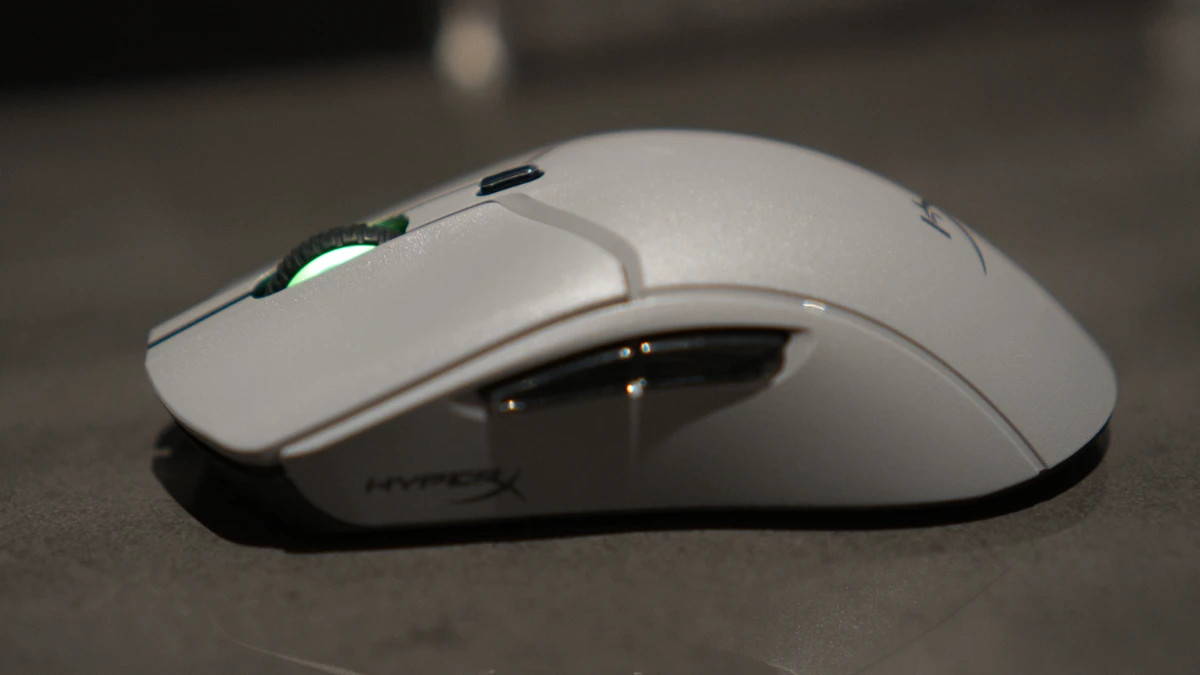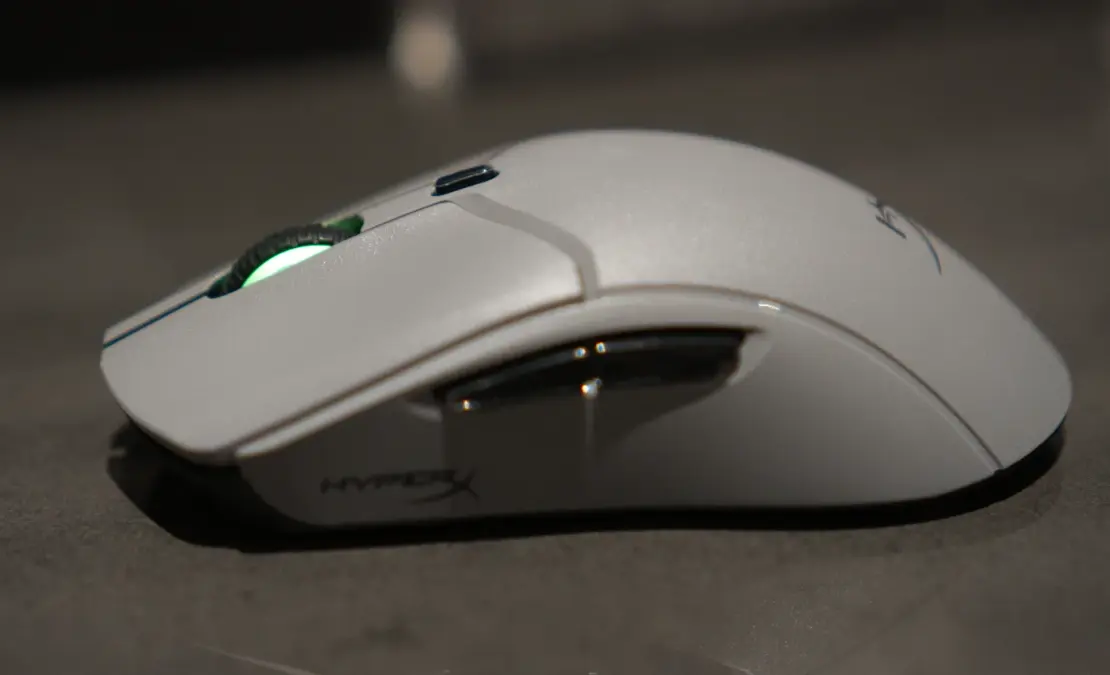

The HyperX Pulsefire Haste 2 Pro ($119.99 USD) enters a crowded wireless gaming mouse market with a case worth hearing out. At 61 grams, it sits among the lightest wireless options you can buy without resorting to a honeycomb shell. HyperX optical switches eliminate the double-click failures that kill mechanical mice after a year or two of heavy use. Versatile connectivity across 2.4GHz, Bluetooth, and wired USB-C adds genuine flexibility for desktop, laptop, and console setups alike. The advertised 4K polling rate, however, tested closer to 2,500Hz under real conditions, and battery life takes a significant hit at higher polling settings. The Logitech G Pro X Superlight 2 and Razer DeathAdder V3 Pro both compete in this weight class, though each costs $30 to $40 more for comparable performance. If optical switch longevity and versatile connectivity top your priority list, the Haste 2 Pro earns its price.
Editor’s Take
The HyperX Pulsefire Haste 2 Pro combines featherweight design with optical switch durability and multi-platform connectivity, making it one of the most well-rounded wireless gaming mice under $120.
Pros
- Ultra-lightweight at 61 grams
- Optical switches eliminate double-click issues
- Versatile connectivity (2.4GHz, Bluetooth, wired)
- 90-hour battery life at 1K polling
- Console compatible (PS5, Xbox Series X|S)
Cons
- 4K polling underperforms its claims (tested ~2,500Hz max)
- Battery drops to 30 hours at 4K polling
- Windows 11 RGB requires an unintuitive workaround
- Ngenuity software has rough edges
At a Glance
| Spec | Details |
|---|---|
| Sensor | Up to 26,000 DPI |
| Polling Rate | Up to 4,000Hz advertised (2,500Hz tested) |
| Switch Type | HyperX Optical |
| Battery Life | 90 hours (1K polling), ~30 hours (4K polling) |
| Connectivity | 2.4GHz, Bluetooth 5.0, USB-C wired |
| Weight | 61g (2.15oz) |
| Price | $119.99 USD |
| Verdict | A durable, lightweight wireless mouse that outvalues the competition at $120, held back only by overstated polling rate claims and minor software friction. |
Configurations: One SKU, Clear Value
HyperX offers the Pulsefire Haste 2 Pro as a single wireless configuration at $119.99 USD. No tiered variants complicate the decision. The base package includes the mouse, a braided USB-C cable, a 2.4GHz dongle, and adhesive rubber grip tape. Optional tempered glass skates, sold separately, replace the stock PTFE feet for users who want improved glide on worn pads.
The price sits squarely between budget wireless options and flagship mice from Logitech and Razer. At $40 less than the Logitech G Pro X Superlight 2 and $30 less than the Razer DeathAdder V3 Pro, HyperX makes a direct value argument. Canadian buyers can find the Haste 2 Pro at Best Buy Canada, Amazon.ca, and Memory Express.
Full Specifications
| Specification | Details |
|---|---|
| Sensor | Custom optical, up to 26,000 DPI |
| Polling Rate | Up to 4,000Hz (advertised); ~2,500Hz peak tested |
| Switches | HyperX Optical (light-based actuation) |
| Side Buttons | HyperX Optical (left side only) |
| Battery | Up to 90 hours at 1K polling; ~30 hours at 4K polling |
| Charging | USB-C, ~30 min to 80% |
| Connectivity | 2.4GHz wireless dongle, Bluetooth 5.0, USB-C wired |
| Wired Polling Cap | 1,000Hz |
| Weight | 61g (2.15oz) |
| Shell Design | Solid plastic (no honeycomb) |
| RGB | Scroll wheel zone; conflicts with Windows 11 Dynamic Lighting |
| Console Support | PlayStation 5, Xbox Series X |
| Software | HyperX Ngenuity |
| Skate Material | PTFE stock; optional tempered glass (sold separately) |
| Price | $119.99 USD |
Design: Lightweight Done Right
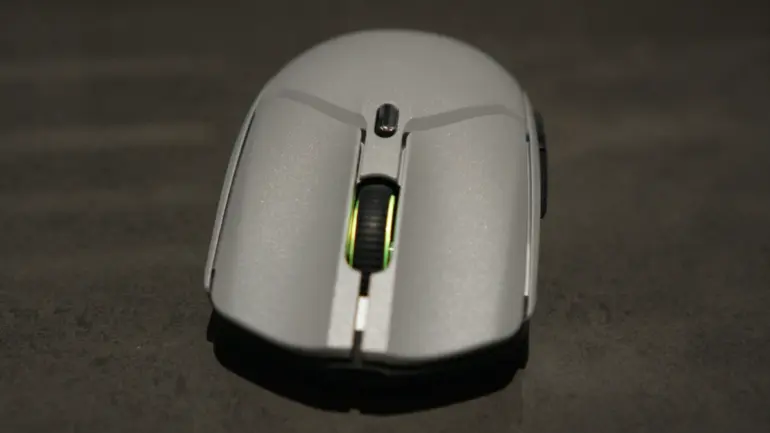
The Haste 2 Pro achieves 61 grams without the polarizing honeycomb cutouts that defined lightweight mice for years. The solid, slightly textured plastic shell maintains structural rigidity throughout. No button rattle or flex appeared during testing, and every surface feels intentional.
The shape suits medium to large hands well. I tested palm, claw, and fingertip grips throughout the review period, and the Haste 2 Pro accommodated all three comfortably. The symmetrical profile works for left-handed users, though the side buttons sit on the left side only. That asymmetry limits true ambidextrous use.
HyperX includes adhesive rubber grip tape in the box, a thoughtful addition for anyone prone to slippage during intense sessions. It applies cleanly and adds friction without meaningfully increasing the 61-gram base weight. The ashy grey color scheme looks professional and avoids the aggressive aesthetic that makes some gaming peripherals awkward in non-gaming contexts.
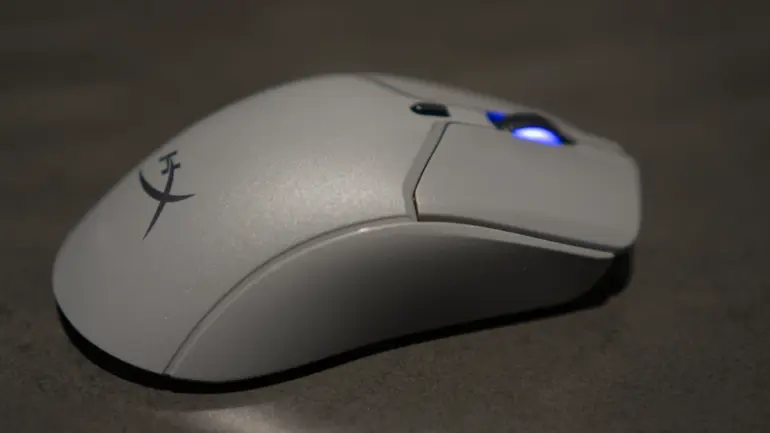
The scroll wheel features a rubberized, indented surface with distinct tactile steps. Each notch produces satisfying resistance without feeling stiff or imprecise.
Connectivity and Ports
- Wireless: 2.4GHz dongle (included), Bluetooth 5.0
- Wired: USB-C braided cable (charges while in use)
- Wired polling cap: 1,000Hz
- Console support: PlayStation 5, Xbox Series X|S
The USB-C cable handles both charging and wired use simultaneously, so gaming sessions never pause for power. The 2.4GHz dongle attaches to the cable for storage and pairs instantly with compatible OMEN laptops. One notable omission: the mouse includes no dedicated dongle storage compartment, which means the dongle travels separately or stays cable-attached.
HyperX backs the Haste 2 Pro with a two-year limited warranty.
Sensor and Performance: Accurate Where It Counts
The Haste 2 Pro’s sensor reaches 26,000 DPI on paper. In practice, most competitive players use 400 to 1,600 DPI, so the ceiling matters less than the tracking quality at everyday settings. I ran the mouse at 1,000 to 1,200 DPI throughout testing and found tracking flawless across cloth, hard plastic, and hybrid pad surfaces.
Response time felt instantaneous. No perceptible lag, acceleration, or interpolation issues appeared during fast directional changes. Lift-off distance stayed low enough to avoid false inputs during repositioning.
A small button behind the scroll wheel cycles DPI presets on the fly. Ngenuity lets you configure each preset, which makes switching between precision aiming and fast cursor movement quick without leaving a game.
4K Polling: The Real Numbers
HyperX advertises 4,000Hz polling for the Haste 2 Pro. Testing with open-source polling rate measurement tools showed a different result. The mouse peaked at approximately 2,500Hz during aggressive flicking motions and averaged around 1,800Hz during normal use.
This gap matters less than it might initially suggest. Most mice claiming 2,000Hz or higher polling show similar discrepancies between marketing and measured performance. More importantly, polling rates above 1,000Hz produce diminishing returns for nearly every player in nearly every scenario. At 1,000Hz, one report per millisecond, the Haste 2 Pro feels immediately responsive with zero battery life penalty. I recommend sticking with 1,000Hz for the best balance of performance and longevity.
Optical Switches: The Standout Feature
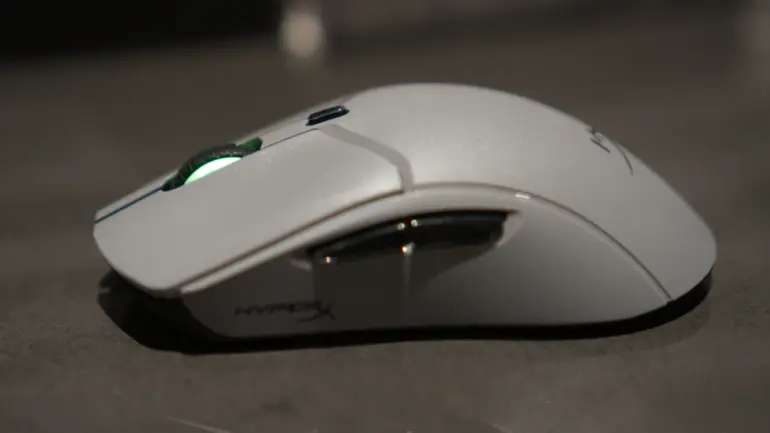
HyperX optical switches represent the most significant upgrade the Haste 2 Pro carries over its predecessor and over most mechanical competitors. Light-based actuation replaces metal contact points, eliminating the wear mechanism that causes double-click failures in traditional switches.
Every click feels crisp and deliberate. The actuation force sits at a comfortable middle point: light enough for rapid inputs without triggering accidental clicks. The audio feedback satisfies without being loud enough to disturb nearby people. The sound falls between the sharp snap of aggressive mechanical switches and the muted thud of membrane buttons.

The longevity benefit is real. Mechanical switches develop double-click registration problems after extended use, typically within one to two years of heavy gaming. Optical switches bypass this failure mode entirely. The Haste 2 Pro maintains consistent click registration for years of intensive use by design.
The side buttons use the same optical switch technology. I mapped these to grenade and melee functions in shooters and found them equally responsive. The placement keeps fingers on movement keys without stretching for keyboard binds.
Battery Life: Outstanding with One Caveat
Polling rate determines how long the Haste 2 Pro runs on a charge.
| Polling Rate | Battery Life |
|---|---|
| 1,000Hz | Up to 90 hours |
| 4,000Hz | Approximately 30 hours |
At 1,000Hz, the 90-hour rating makes battery anxiety essentially irrelevant for most users. Charging to 80% takes approximately 30 minutes via USB-C, and the mouse charges while in active use. You never need to pause for power.
The 4,000Hz setting cuts battery life to roughly one-third of the lower polling option. Given that the performance difference between these settings is imperceptible for most players, the trade-off rarely makes sense. Stick with 1,000Hz unless you have a specific reason to run higher, and the battery story becomes one of the Haste 2 Pro’s genuine strengths.


Software: Ngenuity Has Rough Edges
HyperX Ngenuity handles DPI configuration, button mapping, polling rate selection, and RGB customization. The interface is straightforward for basic tasks. I assigned keyboard functions to the side buttons within minutes of installation, and the macro recording tools cover advanced binding sequences without requiring technical knowledge.
Windows 11 RGB Workaround
The scroll wheel RGB defaulted to pink during initial setup and refused to respond to Ngenuity commands. Reconnecting via Bluetooth and USB-C made no difference.
The fix requires disabling Windows Dynamic Lighting in Windows 11 settings. Microsoft’s Dynamic Lighting feature overrides Ngenuity’s RGB controls, locking the scroll wheel to system-default colors. Disabling Dynamic Lighting restores full Ngenuity control.
HyperX documents this workaround in their support pages, but nothing in the setup process points users toward it. Anyone encountering the issue for the first time reasonably assumes the software or mouse is defective. HyperX needs to address this conflict in a future Ngenuity update.
Glass Skates: Optional, Noticeable Upgrade
HyperX offers tempered glass skates compatible with the Haste 2 Pro and other 2025 HyperX mice. Installation means removing the stock PTFE skates, cleaning the mounting surfaces, and applying the glass replacements. The process takes a few minutes.
The glide improvement is noticeable, particularly on worn cloth pads where PTFE feet lose their smoothness over time. Glass skates also wear significantly slower than PTFE, potentially outlasting several replacement sets. Handle them carefully on hard floors. Dropping the mouse risks shattering the glass skates in a way that PTFE alternatives simply don’t.
How the HyperX Pulsefire Haste 2 Pro Compares
| Feature | HyperX Pulsefire Haste 2 Pro | Logitech G Pro X Superlight 2 | Razer DeathAdder V3 Pro | SteelSeries Aerox 5 Wireless |
|---|---|---|---|---|
| Sensor | 26,000 DPI optical | 32,000 DPI HERO 2 | 30,000 DPI Focus Pro | 18,000 DPI TrueMove Air |
| Switch Type | HyperX Optical | Mechanical | Razer Optical Gen-3 | Mechanical |
| Polling Rate | 4K claimed, ~2,500Hz tested | 4,000Hz | 4,000Hz | 1,000Hz |
| Battery Life | 90 hours (1K polling) | 95 hours | 90 hours | 80 hours |
| Connectivity | 2.4GHz, BT 5.0, USB-C | 2.4GHz, USB-C | 2.4GHz, BT 5.0, USB-C | 2.4GHz, BT 5.0, USB-C |
| Weight | 61g | 60g | 63g | 74g |
| Price (USD) | $119.99 | $159.99 | $149.99 | $139.99 |
| Best For | Optical switch longevity + value | Absolute polling accuracy | Ergonomic right-hand grip | Multi-device productivity |
Frequently Asked Questions
Is the HyperX Pulsefire Haste 2 Pro worth $120?
Yes. The optical switches, 61-gram weight, and versatile connectivity justify the price. The Logitech G Pro X Superlight 2 and Razer DeathAdder V3 Pro both deliver comparable performance for $30 to $40 more. The Haste 2 Pro wins on value without meaningful sacrifice.
Does the 4K polling rate actually work?
Testing showed peak polling rates around 2,500Hz, not the advertised 4,000Hz. For most competitive players, this distinction has no practical impact. The 1,000Hz setting delivers excellent responsiveness with a 90-hour battery life, making it the better everyday choice.
How long does the battery last on the Haste 2 Pro?
At 1,000Hz polling, expect up to 90 hours of use. At 4,000Hz polling, battery life drops to approximately 30 hours. USB-C charging brings the battery to 80% in around 30 minutes.
Where can I buy the HyperX Pulsefire Haste 2 Pro in Canada?
Best Buy Canada, Amazon.ca, and Memory Express all stock HyperX products. Check each retailer for current Canadian pricing and availability.
Does the Haste 2 Pro work with PlayStation and Xbox?
Yes. The mouse supports PlayStation 5 and Xbox Series X|S via wired USB-C connection or the 2.4GHz dongle.
What grip styles work with this mouse?
The Haste 2 Pro accommodates palm, claw, and fingertip grips comfortably. The symmetrical shape and moderate length suit medium to large hands across all three styles.
Verdict: Thoughtful Iteration That Earns Its Price
HyperX delivers a mouse that solves a real problem. Optical switches eliminate the double-click failures that end the useful life of mechanical alternatives, and the 61-gram build achieves competitive weight without structural compromise. The 90-hour battery at 1,000Hz, multi-platform connectivity, and console compatibility add genuine breadth to what the “Pro” designation promises.
The overstated 4K polling rate is a legitimate knock, and the Windows 11 Dynamic Lighting conflict requires a workaround that HyperX should have resolved by now. Neither issue undermines the core package. For competitive gamers who want lightweight, durable wireless performance without paying flagship prices, the Haste 2 Pro delivers. Canadian buyers should watch for promotions at Best Buy Canada and Memory Express, where competitive pricing surfaces regularly.