

When you’re in the market for a new laptop, especially a 2-in-1 convertible, the choices can feel overwhelming. Every manufacturer promises the “perfect balance” of performance, portability, and battery life. But what does that actually mean? Often, you’re left deciphering confusing spec sheets and vague marketing claims. Today, we’re going to cut through the noise. We have the brand-new HP OmniBook 7 Flip in our hands, and more importantly, we have a mountain of data from rigorous benchmark testing.
We’re going to take a deep, data-driven dive into the heart of this machine—its brand-new Intel Core Ultra 7 “Lunar Lake” processor—and see exactly what it can do. We’ll analyze its performance across a full suite of tests from PCMark 10, which simulates everyday work, and 3DMark, the gold standard for gaming and graphics testing. But we’ll also go beyond the numbers to talk about the things that benchmarks can’t measure: the feel of the keyboard, the quality of the chassis, and the simple, everyday experience of using it.
At the conclusion of this detailed review, you’ll not only find out if the OmniBook 7 Flip is a solid laptop, but you’ll also understand its strengths and the target audience it serves. So, grab a coffee, and let’s dive into the specifics.

Design & Build: Premium, Practical, and Polished
Before any numbers flash across the screen, the first thing you experience with a laptop is its physical presence. And right out of the box, the HP OmniBook 7 Flip makes a stellar first impression. HP has been refining its premium designs for years, moving away from the overly sharp “gem-cut” edges of past models toward a softer, more sophisticated aesthetic. This laptop is the culmination of that effort, presenting a clean, modern look that feels both professional and personal.
The chassis is crafted from recycled aluminum, which gives it a cool, solid feel in the hands without adding excessive weight. It feels sturdy and well-constructed, with no creaks or flex when you pick it up by a corner—a reassuring sign of quality that’s not always a given, even in premium devices. The finish, often a “Glacier Silver” or a similar muted metallic tone, looks elegant under any lighting. It’s a minimalist design that doesn’t shout for attention but exudes a quiet confidence. One of the most welcome design choices is the comfortably curved front edge of the keyboard deck. This is a small but crucial detail that prevents any sharp edges from digging into your wrists during long typing sessions, a common complaint with many other slim laptops.
Of course, the star of the show for a “Flip” model is its 360-degree hinge. This is where many convertibles succeed or fail. HP has engineered a hinge that is both smooth and firm. It moves effortlessly when you want to switch from laptop to tent or tablet mode, but it’s also strong enough to hold the screen steady with minimal wobble when you’re tapping on the display. This smooth, reliable transition is key to making the 2-in-1 functionality feel like a core feature rather than a gimmick. You never feel like you’re forcing it; the motion is fluid and natural.
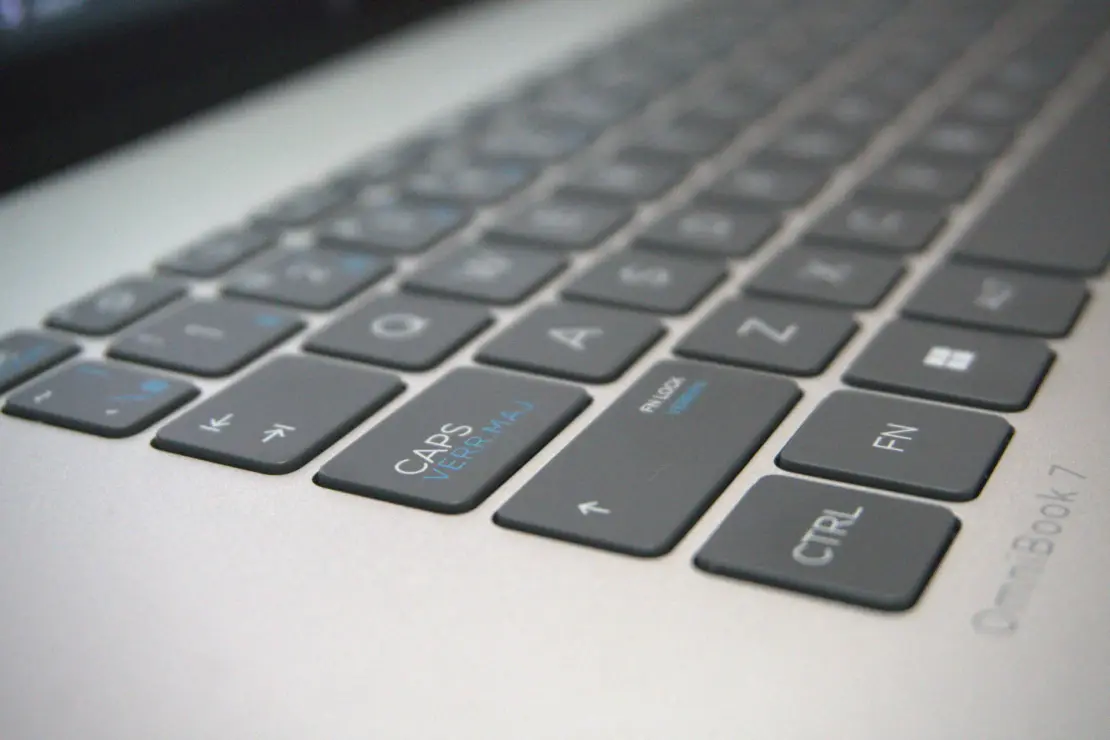
Opening it up, you’re greeted by a spacious, backlit keyboard that stretches nearly to the edges of the device. The keys are well-spaced, but reviews suggest they have a relatively shallow travel distance. This can take some getting used to if you’re coming from a keyboard with a deeper, more tactile “clack.” However, the keys are stable and activate with a soft, quiet press. After a brief adjustment period, most users will find they can type quickly and accurately. Below it sits a large, smooth touchpad with haptic feedback. It tracks beautifully, and the haptic click is crisp and satisfying, making navigation a pleasure. It’s a joy to use, providing precise control without needing an external mouse for most tasks.
This is a machine that feels as good as it looks. It’s a premium device that balances a sleek, modern aesthetic with the practical durability needed for a portable, everyday companion.

The Brains of the Operation: A New Kind of Processor
Now, let’s get to the heart of the OmniBook 7 Flip. It’s powered by the Intel Core Ultra 7 258V processor, a chip from Intel’s newest “Lunar Lake” family. This isn’t just a minor update; it’s a fundamental shift in Intel’s strategy for thin-and-light laptops.
For the past year, most premium laptops in this category have used processors from the “Meteor Lake” family, such as the popular Core Ultra 7 155H. On paper, the older 155H looks more powerful—it has 16 cores and 22 threads. The new 258V in the OmniBook, by contrast, has only 8 cores and 8 threads. So, it must be a step down, right?
Not so fast. This is where the strategy shift comes in. Intel realized that for most people using a portable laptop, raw multi-core power isn’t the most important thing. What matters more is how fast the laptop feels in everyday use (single-core speed), how well it can handle graphics and casual gaming, and how long the battery lasts. The Core Ultra 7 258V is designed specifically for that, focusing on efficiency and a vastly improved integrated GPU.
To see this in action, let’s look at the 3DMark CPU Profile test. This benchmark measures the processor’s performance when using a different number of cores.
| Threads Used | HP OmniBook 7 Flip Score |
| 1 Thread | 1,153 |
| 2 Threads | 2,074 |
| 4 Threads | 3,435 |
| 8 Threads | 5,695 |
| Max Threads | 5,780 |
The most telling number here is the 1-thread score of 1,153. This is an excellent result and confirms the chip’s snappy, responsive nature. When you’re opening an application, loading a webpage, or performing a simple action in a program, you are often only using one or two processor threads. A high score here is the technical reason why a computer “feels fast.” The score scales up nicely as more cores are engaged, maxing out at 5,780. While a high-performance chip like the 155H might post a higher max threads score due to its sheer number of cores, the 258V’s performance is incredibly strong for such an efficient, low-power chip. It’s like a finely tuned engine that’s both quick off the line and remarkably fuel-efficient.

Your Daily Driver: A Deep Dive into Productivity
You’re probably not buying a 2-in-1 to run complex scientific simulations. You’re buying it for work, school, and everyday life. So, how does it handle the daily grind? To find out, we turn to PCMark 10, a benchmark that mimics real-world tasks.
The HP OmniBook 7 Flip achieved an outstanding overall PCMark 10 score of 6,788. To put that in perspective, this is better than 78% of all laptops tested and significantly higher than the score for a typical “Office laptop (2023),” which sits around 5,848. This machine isn’t just capable; it’s a productivity powerhouse. Let’s break down what that means for you.
Essentials: The Fundamentals of a Fast PC
This category measures the basics, and a score over 10,000 is phenomenal.
- Web Browsing (10,031): This score means you can juggle dozens of browser tabs without the machine slowing down. Researching, shopping, and streaming all at once won’t be a problem.
- Video Conferencing (8,604): Your Zoom and Teams calls will be smooth and stutter-free, with no lag when sharing your screen or using virtual backgrounds.
- App Start-up: The high score here means you won’t be staring at loading icons. Everything from your email client to your music app just opens instantly.
Productivity: Conquering Your Workload
This test focuses on office applications.
- Spreadsheets (10,761): This is a standout result. If your work involves complex Excel files with thousands of rows and complex formulas, the OmniBook 7 Flip will chew through them without breaking a sweat.
- Writing (6,816): A solid score that shows it can easily handle any document, from a simple report to a massive manuscript with embedded images and tables.
Digital Content Creation: More Than Just a Workhorse
Here’s where the OmniBook 7 Flip really starts to surprise.
- Photo Editing (16,626): This score is exceptionally high for an ultrabook. If you’re a hobbyist photographer who uses software like Adobe Lightroom or Photoshop, you’ll find this laptop to be incredibly responsive for editing high-resolution RAW photos.
- Rendering and Visualization (8,125): This shows it has the muscle for some light 3D modeling or architectural visualization, tasks that would have been impossible on older integrated graphics.
- Video Editing (6,900): While it won’t replace a dedicated video editing rig, this score proves it’s more than capable of smoothly editing 1080p or even some 4K video for your social media channels or family projects.
What these PCMark 10 results show is a laptop that excels at the basics and punches well above its weight in more demanding creative tasks. It’s a true jack-of-all-trades.

Under the Hood: Storage Speed Matters
A fast processor is great, but if your storage is slow, the whole system feels sluggish. We ran two storage benchmarks to test the OmniBook’s solid-state drive (SSD).
First, the PCMark 10 Data Drive Benchmark, which measures performance for storing files and applications. It scored a very good 3,130, with an overall bandwidth of 467.32 MB/s. This means it can read and write large files very quickly. Second, the PCMark 10 Quick System Drive Benchmark, which focuses on the main operating system drive. It scored 2,223 with a bandwidth of 268.86 MB/s.
In simple terms, this means Windows boots up in seconds, applications load instantly, and transferring large files won’t leave you waiting. The SSD is fast and efficient, and it won’t be a bottleneck.
The Main Event: A Deep Dive into Gaming and Graphics
And now for the question on everyone’s mind. For years, the idea of playing serious games on a thin, integrated-graphics laptop was a joke. You were limited to ancient titles or simple indie games. Intel’s new Arc Xe2 graphics in the Core Ultra 7 258V aims to change that forever. We threw the entire 3DMark suite at the OmniBook 7 Flip, and the results are, frankly, astonishing.


Fire Strike: The DirectX 11 Champion
Fire Strike is a benchmark for DirectX 11, the graphics technology behind many popular games from the last decade, like Grand Theft Auto V and The Witcher 3. The OmniBook’s overall score of 7,994 is impressive, but the breakdown is even more revealing:
- Graphics Score (9,386): This is the key number. A graphics score this high from an integrated GPU is groundbreaking. It’s competitive with older entry-level dedicated graphics cards like the NVIDIA GeForce GTX 1650. This means you can comfortably play a huge library of classic and modern DirectX 11 games.
- Physics Score (19,871): This tests the CPU’s ability to handle in-game physics—things like explosions and ragdoll effects. This high score shows the processor is more than up to the task and won’t hold back the powerful GPU.
- Combined Score (2,657): This tests how well the CPU and GPU work together under a heavy load, and the score indicates a well-balanced system.
Time Spy Extreme: Pushing the Limits of DirectX 12
Time Spy Extreme is a much more demanding test. It uses the modern DirectX 12 API and runs at a punishing 4K resolution. The score of 1,662 might seem low compared to a high-end gaming desktop, but for an ultrabook, it’s a significant achievement. It proves the hardware can handle the latest game engines. When you run this test at a more realistic 1080p or 1440p resolution, you can expect scores that rival competitors like the Dell XPS 14 and Lenovo Yoga 9i. The Graphics Score was 1,521 and the CPU Score was 3,521, again showing a capable pairing.
Port Royal & Solar Bay: The Magic of Ray Tracing
Ray tracing is a cutting-edge graphics technique that produces incredibly realistic lighting, shadows, and reflections. It’s usually reserved for powerful, expensive gaming PCs. The fact that the OmniBook 7 Flip can even run these tests is impressive.
- Port Royal (1,862): This is a demanding DirectX 12 ray-tracing benchmark. The score shows that the hardware has the dedicated RT cores to handle basic ray-tracing effects, which is a first for many integrated solutions.
- Solar Bay (15,992): This is a newer, Vulkan-based ray-tracing test designed for a wider range of devices. The much higher score here suggests that in games optimized for this API, the ray-tracing performance will be even better.
Steel Nomad Light: A Glimpse into the Future
This is the newest and most challenging benchmark in the 3DMark suite, designed to test performance on the games of tomorrow. A score of 3,243 is a very respectable result for integrated graphics and suggests that the OmniBook 7 Flip has enough power to handle upcoming titles, especially at 1080p.
Wild Life & VRS: The Mobile Gaming Edge
- Wild Life (Score: 20,216): This benchmark is designed for lightweight notebooks and tablets. The OmniBook’s score is excellent, showing it’s more than capable of handling any mobile or less-demanding PC game you throw at it.
- VRS Feature Test: This is the secret weapon. Variable Rate Shading (VRS) boosts performance by focusing the GPU’s power on the most important parts of the image. With VRS on, the frame rate jumped from 274.7 FPS to a staggering 439.5 FPS—a 60% performance gain for free! This is a massive advantage for gaming, as it can turn a choppy frame rate into a smooth, playable experience.
| Test | Total | Graphics | CPU / Physics | Notes |
|---|---|---|---|---|
| Fire Strike | 7,994 | 9,386 | 19,871 (Physics) | Strong DX11 integrated result |
| Time Spy Extreme | 1,662 | 1,521 | 3,521 | Competitive for ultrabook class |
| Port Royal | 1,862 | — | — | Ray tracing capability confirmed |
| Solar Bay | 15,992 | — | — | Vulkan ray tracing efficiency |
| Steel Nomad Light | 3,243 | — | — | Future-proof glimpse |
| Wild Life | 20,216 | — | — | Mobile/less demanding titles |
PCMark 10 (Use grouped subsections similarly).
The gaming verdict? The HP OmniBook 7 Flip is not a gaming laptop. But for the first time, it’s a premium, portable 2-in-1 that is a legitimate gaming device. You can finish your work, flip the screen around, and comfortably play modern titles at 1080p.

The Final Verdict: The Smart Choice for the Modern User
After digging through all this data, a clear picture emerges. The HP OmniBook 7 Flip is a device built on a philosophy of smart, balanced performance. It combines a premium, aesthetically pleasing design with a new generation of hardware that prioritizes what truly matters in a 2-in-1 laptop.
The benchmarks prove it:
- It’s incredibly responsive, thanks to its strong single-core performance.
- It’s a productivity beast, capable of handling heavy office work and surprisingly demanding creative tasks.
- It’s a legitimate light gaming machine, with a revolutionary integrated GPU that punches far above its weight.
The HP OmniBook 7 Flip is for the student who wants one device for notes, essays, and unwinding with some games in the evening. It’s for the professional who needs a sleek, reliable machine for work but also wants something great for entertainment. It’s for the casual creator who needs a responsive tool for photo editing and light video work.
It represents a thoughtful evolution in the world of laptops, prioritizing the complete user experience over chasing raw specs on a page. If you’re looking for a versatile, premium, and surprisingly powerful 2-in-1, the data is clear: the HP OmniBook 7 Flip is a fantastic choice that is ready for both work and play.


