
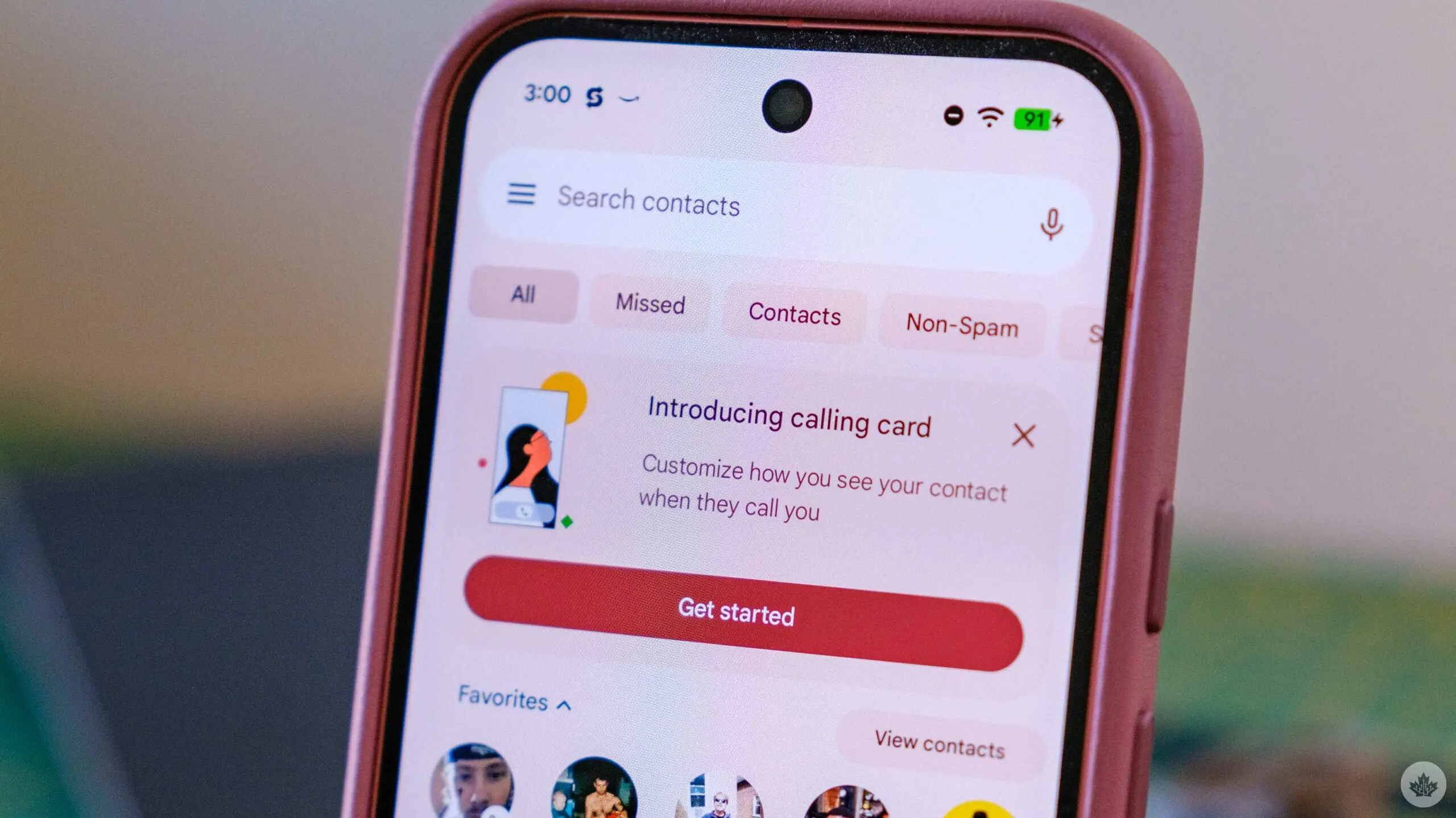

Google Enhances Calling Cards for Android Users
Google is giving a fresh look to calling cards on Android, especially for those who utilize the Google Contacts and Google Phone applications. This update aims to improve how users identify incoming calls.
A New Look Inspired by iOS
The latest version introduces full-screen portrait photos that appear when someone calls you. Previously, users were restricted to smaller avatars for each contact. Now, you can showcase both a larger image and a smaller one if desired. Additionally, these images can be customized separately, allowing for more personalization.
Slow Rollout of the Update
According to reports from tech sources, this feature is currently being rolled out but at a gradual pace. For instance, I was able to access the update on my Pixel 9 only after downloading the most recent Developer beta of Android 16. It's expected that more users with the Google Contacts app will soon receive this enhancement as well.
The same report also noted that there's been an appearance of pop-up notifications highlighting calling cards in the beta version of the Google Phone app. This suggests that a broader rollout could be just around the corner.
How to Set Up Your Calling Card
If you've received this update, setting up your new calling card is straightforward. Start by opening any contact card and entering edit mode. At the top of your screen in this editing interface, you'll find an option labeled ‘calling card.' Click on it and choose your preferred photo; then you're all set! You can also customize how their name appears by adjusting font styles and colors.
This means whenever that specific person calls you in future instances, their chosen photo will display prominently on your screen-making it easier than ever to recognize who's reaching out.
Differences from Apple's Approach
This new feature has some distinctions compared to Apple's method of handling contact photos. On iOS devices, users have the ability to create their own contact poster which gets shared automatically with anyone they call or text who doesn't already have a designated photo set up for them.

In contrast, while Android allows you some customization through its Messages app-where you can set a default image visible to others-it does not yet offer an automatic sharing option like Apple does with its posters. However, there's potential for Google to expand these features down the line as user needs evolve.
A Bright Future Ahead?
This upgrade marks another step forward in enhancing user experience within Google's ecosystem on Android devices. As updates continue rolling out slowly but surely across various models and versions of phones using Google's apps-there's much anticipation about what other improvements might come next!
Please note that when you make a purchase through our links at GameHaunt, we might earn a small commission. This helps us keep bringing you free journalism you love on our site! And don't worry; our editorial content remains totally unbiased. If you'd like to show some support, you can do so here.

