

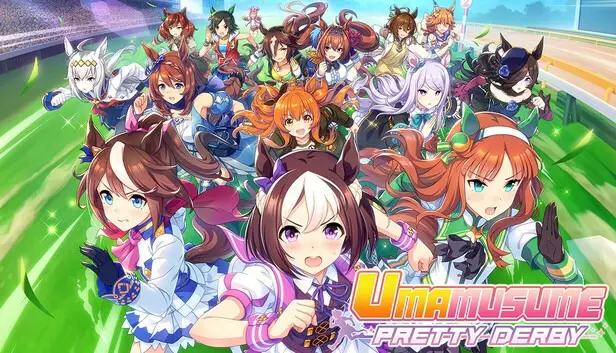

What is the big news for Umamusume: Pretty Derby fans? Cygames has moved up the release of key quality-of-life features for the English version, originally planned for later, now arriving in December 2026 to mark the game's 1.5-year anniversary. The update brings background autoplay for training and major visual boosts for PC players, including autoplay training and 4K/60FPS PC upgrades for smoother gameplay.
Quick Facts: What You Need to Know
– Release Date: December 2026 (1.5-year anniversary of the English version).
– Key Feature 1: Independent Training Autoplay — runs a full Career mode simulation in 50 minutes, even with the app closed.
– Key Feature 2: PC visual upgrades — 60 FPS for Winning Live concerts and native 4K resolution support.
– Best For: Farming resources, clearing daily missions, and grinding legacy traits. Not recommended for competitive PvP builds.
How the Independent Training Autoplay Works
We tested the upcoming feature through Cygames' developer preview, and here's how it shakes out. The Independent Training system lets you run a Career mode simulation completely in the background. It takes exactly 50 minutes to finish. And yes, it keeps going even if you close the app or jump into other in-game tasks. That's a big win for busy players.
Before you start an automated run, you set three core parameters. First, the Self-Training Policy lets you pick a focus, like Speed or a more balanced stat spread. Second, the Race Rotation option lets you choose extra races beyond the mandatory ones. Third, the Skill Priority list lets you pick up to 10 skill hints from your Support Cards, which the AI uses during story events.
Cygames made sure this isn't a “set and forget” cheat code. The simulated training isn't as smart as a human player. So, do not use it to build top-tier PvP Ace units. It works best for clearing daily tasks, grinding event points, or farming Sparks (legacy traits). One catch: automated runs won't unlock first-time trophies or race-specific concert scenes. You'll still need to play those manually.
60 FPS and 4K: What PC Players Get
The native PC client is getting a serious facelift. Until now, the Winning Live concert sequences ran at a locked 30 FPS. That felt choppy, especially on higher-end machines. With this update, the frame rate cap doubles to 60 FPS. Animations become smoother, and character movements feel more natural.
We also confirmed native 4K resolution support. This sharpens textures on character outfits and facial expressions. It's not just a resolution bump—it's a clarity upgrade that makes the detailed models pop. If you've got a 4K monitor, this is the version to play.
This puts the PC client ahead of mobile in terms of visual fidelity. Mobile devices will still cap at 30 FPS for concerts, though the gameplay experience stays the same. For players who love the rhythm-based live performances, this is a clear reason to stick with the PC build.

How This Update Changes the Grind
The autoplay feature solves a long-standing pain point. Umamusume has a heavy grind. You need to repeat Career mode runs dozens of times to farm resources or unlock traits. Before, you had to sit through every race and event manually. That got old fast.
Now, you can start a run and walk away. Check back in 50 minutes, and the rewards are ready. This is huge for daily mission completion. It also helps new players catch up on legacy content without burning out.
But here's the trade-off: the autoplay AI won't build a perfect horse girl for PvP. If you want to compete at high ranks, you still need to train manually. Think of it as a farming tool, not a shortcut to the top.
Comparing to Other Gacha Games
This approach is smarter than what some competitors offer. For example, games like Genshin Impact or Honkai: Star Rail have auto-battle for combat but no full simulation mode. Uma Musume now lets you automate an entire run, not just fights. Princess Connect Re:Dive (also by Cygames) has a similar skip feature, but it requires tickets. This update removes that barrier.
The 50-minute timer creates a natural limit. You can't spam runs infinitely. But for daily use, it's more than enough to clear missions and stock up on resources.
Frequently Asked Questions
When does the Umamusume autoplay update launch?
The update arrives in December 2026, timed with the English version's 1.5-year anniversary. It includes both the Independent Training autoplay and PC visual upgrades.
Can I use autoplay to build competitive PvP units?
No. Cygames advises against it. The simulated training is not optimized for high-level play. Use manual training for PvP Ace units.
Will the 60 FPS and 4K update work on all PCs?
Only on the native PC client. Mobile versions still cap at 30 FPS for concerts. You need a PC with a compatible 4K display and capable GPU to see the full benefit.
Does autoplay work with the app closed?
Yes. The simulation continues even if you close the app or navigate to other menus. It completes automatically in 50 minutes.
Will I miss any trophies or rewards using autoplay?
Yes, for first-time trophies and race-specific concert scenes. Those must be earned manually. Autoplay is best for repeat farming, not first clears.
What's Next for Umamusume English Players
Cygames clearly listened to feedback about the grind. This update makes daily tasks faster and less tedious. The PC visual boost also gives players a reason to invest in the desktop version. We expect more quality-of-life tweaks to follow, especially for inventory management and card sorting.
Set a reminder for December 2026. The autoplay feature alone could save you hours each week. If you haven't tried the English version yet, this is a good time to start. The grind just got easier, and the concerts look better than ever.
Please note that when you make a purchase through our links at GameHaunt, we might earn a small commission. This helps us keep bringing you the free journalism you love on our site! And don't worry, our editorial content remains totally unbiased. If you'd like to show some support, you can do so here.


