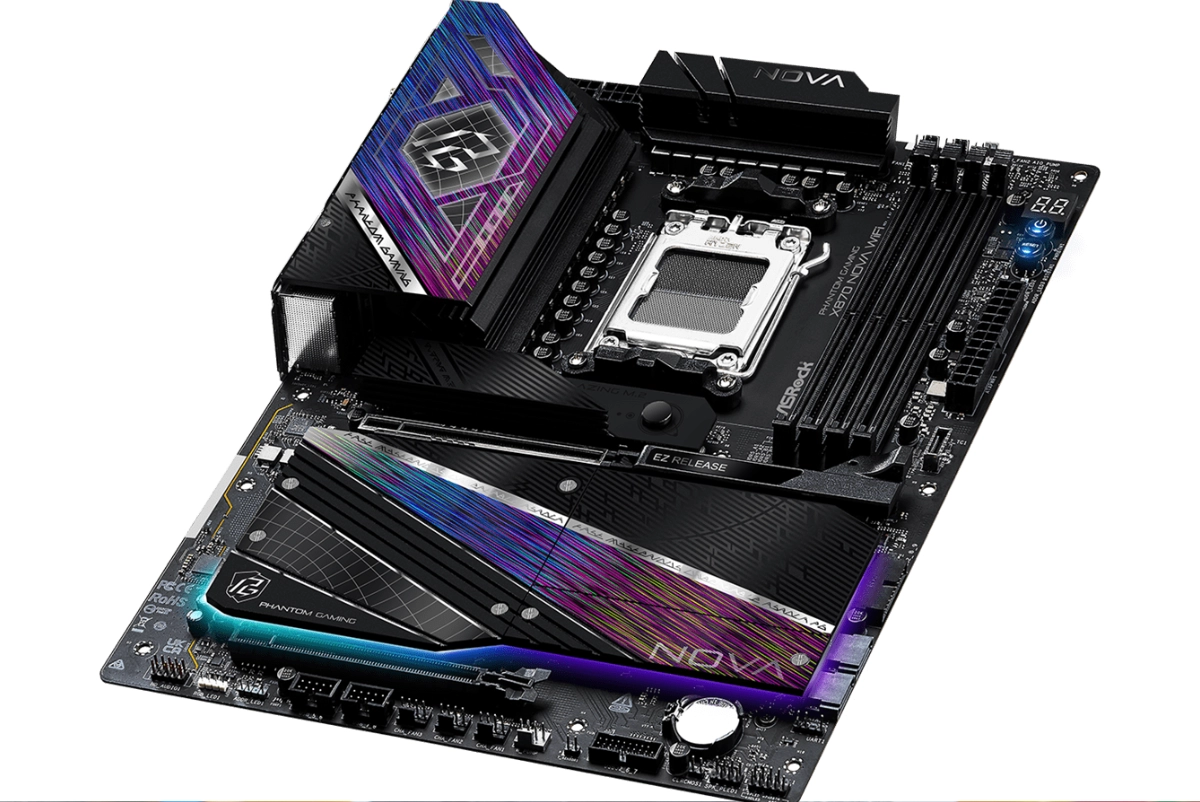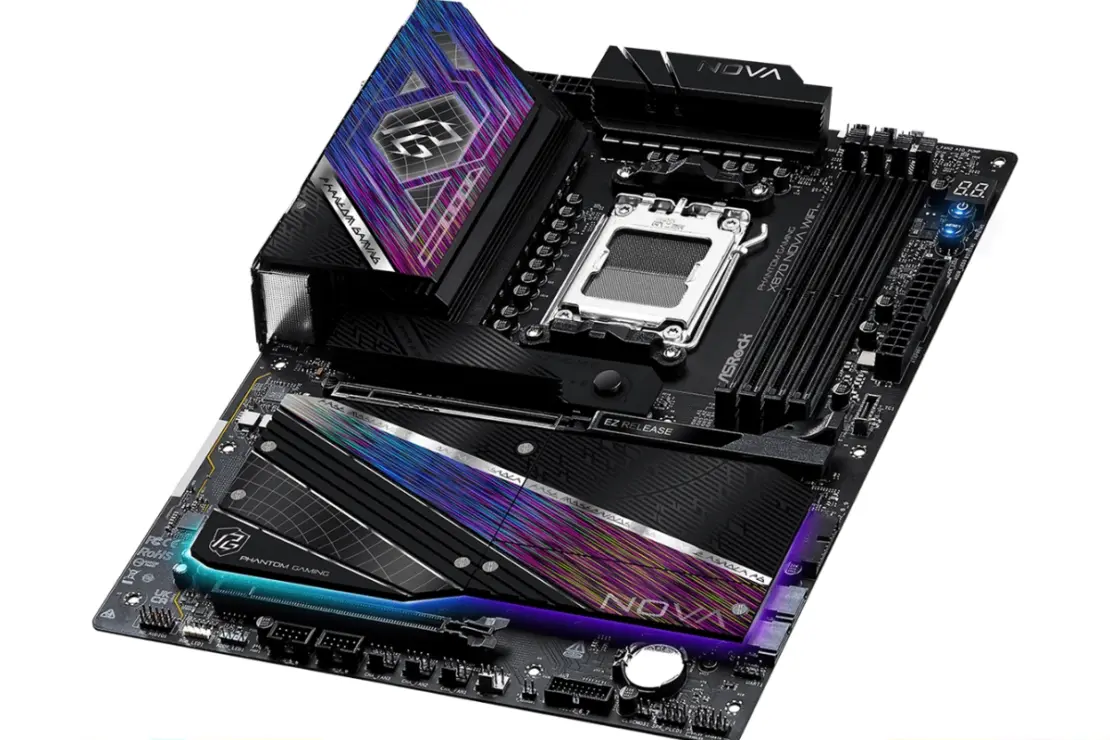

The ASRock Phantom Gaming X870 NOVA WIFI ($449.99 MSRP) delivers flagship-class AM5 performance without the boutique pricing of boards like the Taichi Carrara or Aqua. ASRock built this board around excess: a 20+2+1 phase power delivery with 110A Smart Power Stages, five M.2 slots (one Gen5, three Gen4), and connectivity that includes 5GbE LAN and Wi-Fi 7. Our 10-hour OCCT stress test with a Ryzen 9 9950X pushed the VRM to just 38°C, proving the cooling solution is wildly overbuilt for even the most demanding workloads.
The ASUS ROG Crosshair X870E Hero ($699.99) offers more PCIe flexibility, but costs $250 more for comparable power delivery. The MSI MEG X870E ACE ($599.99) splits the difference with stronger secondary slots. For enthusiasts who prioritize storage density and VRM headroom over multi-card expansion, the X870 NOVA WIFI punches well above its price class.
Editor’s Take
The ASRock Phantom Gaming X870 NOVA WIFI combines a massively overbuilt 20+2+1 phase VRM with five M.2 slots and Wi-Fi 7, delivering flagship features at a mid-tier price point.
Pros
- 20+2+1 phase 110A VRM
- Five M.2 slots total
- VRM peaks at 38°C under load
- Graphics Card EZ Release mechanism
- 5GbE LAN plus Wi-Fi 7
Cons
- Secondary PCIe slots limited to Gen 3
- Bottom x16 slot wired at x2
- Failed to boot certain memory kits
- Dense layout limits airflow options
Tested Configuration
| Spec | Details |
|---|---|
| Chipset | AMD X870 |
| Socket | AM5 |
| Form Factor | ATX (30.5 cm x 24.4 cm) |
| Power Delivery | 20+2+1 phase (110A SPS) |
| Memory | 4 x DDR5 DIMM, up to 256GB, DDR5-8400+ (OC) |
| Price | $449.99 MSRP |
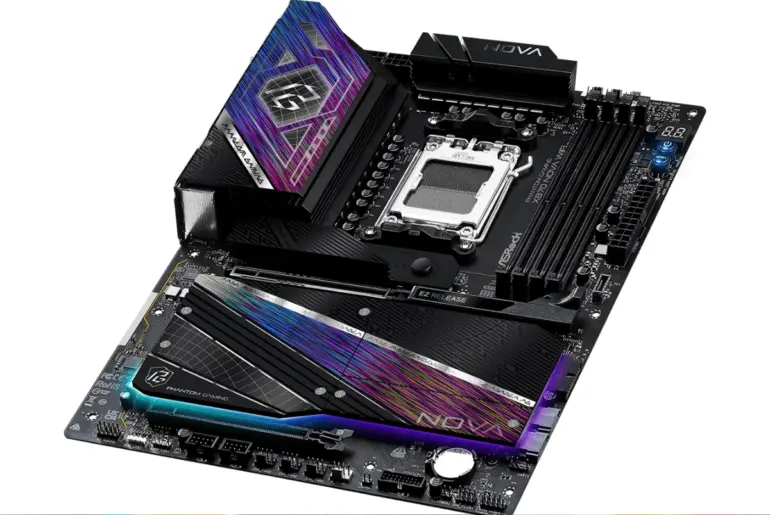
The X870 NOVA WIFI adopts a “blackout” design with subtle purple accents that only reveal themselves under direct light. The reflective heatsink armor catches light at certain angles, but the board reads as understated in most conditions. An integrated RGB strip runs along the bottom edge of the M.2 heatsink armor for those who want lighting without the visual noise of exposed LEDs.
ASRock built the PCB as an 8-layer server-grade design with 2oz copper throughout. The board feels rigid and heavy in hand, with no flex when installing components. The layout is dense but logical, with the VRM heatsinks dominating the top half and the M.2 heatsink armor covering the bottom.
Weight and Dimensions
The board measures 30.5 cm x 24.4 cm (standard ATX) and weighs approximately 1.8 kg with all heatsinks attached. The VRM heatsinks connect via a heat pipe to balance thermal load across the 110A power stages.
Physical Specifications:
- Form Factor: ATX (30.5 x 24.4 cm)
- PCB Layers: 8-layer server-grade with 2oz copper
- VRM Heatsink: Composite aluminum with embedded cooling fan
- Capacitors: 20K Black Caps (extended lifespan rating)
Ports and Connectivity
The rear I/O panel packs 12 USB ports total:
- USB4: 2 x Type-C (40Gbps)
- USB 3.2 Gen2: 5 x Type-A (10Gbps)
- USB 3.2 Gen1: 3 x Type-A (5Gbps, Lightning Gaming Ports)
- USB 2.0: 2 x Type-A
- Video: HDMI 2.1 plus DisplayPort Alt Mode via USB4
- Networking: 5GbE LAN (Realtek RTL8126), Wi-Fi 7 (802.11be), Bluetooth 5.4
- Audio: Realtek ALC4082 7.1ch HD Audio with Nahimic
Internal headers include a USB-C front panel connector (Gen2x2, 20Gbps), two USB 3.2 Gen1 headers, two USB 2.0 headers, seven fan headers, three ARGB headers, and one RGB header.
Storage and Expansion: Five M.2 Slots Without Compromise
The X870 NOVA WIFI prioritizes storage density over PCIe card flexibility. You get five M.2 slots on a standard ATX footprint:
- 1x Blazing M.2 (Gen5 x4): CPU-attached, full speed
- 3x Hyper M.2 (Gen4 x4): Chipset-attached
- 1x M.2 (Gen3 x2 / SATA): For older drives or boot SSDs
The Gen5 M.2 slot runs directly to the CPU without stealing lanes from your graphics card. You get full x16 bandwidth for your GPU and full x4 Gen5 storage simultaneously, unlike some competitors that force a bandwidth split.
PCIe Slot Configuration
- PCIe 5.0 x16 (CPU): Reinforced steel slot for your GPU
- PCIe 3.0 x1 (Chipset): Sound card or basic capture card
- PCIe 3.0 x16 (Chipset): Wired at x2 speed
The secondary slots represent the board’s main compromise. The bottom x16 slot running at x2 speed limits high-bandwidth add-in cards. If you need a 10GbE NIC alongside a capture card, this layout creates a bottleneck. For the 99% of users who install a GPU and fill M.2 slots with NVMe drives, the trade-off makes sense.
Tool-Free Features
ASRock includes tool-less M.2 heatsinks that snap into place without screws. The standout feature is the Graphics Card EZ Release mechanism. Instead of reaching between a massive air cooler and GPU backplate to unlock the PCIe slot, a sliding lever on the heatsink edge pops the card free. The mechanical solution works every time and eliminates the most frustrating part of GPU installation.
Memory Support: Fast Training With Caveats
The board supports up to 256GB of DDR5 memory with speeds rated to DDR5-8400+ (OC). The DIMM slots feature steel reinforcement to prevent PCB bending during installation.
In testing, the board trained EXPO profiles faster than older X670E boards thanks to improved memory training algorithms in the current BIOS. However, the board failed to boot with G.Skill Trident Z5 Neo DDR5-6000 C26 kits during initial testing. Memory compatibility remains a work in progress on AM5, and you should verify your specific kit against ASRock’s QVL before purchasing.
VRM Performance: Absurdly Overbuilt
The 20+2+1 phase power delivery with 110A Smart Power Stages represents enthusiast-class territory typically reserved for boards costing $150 more. ASRock equips the VRM heatsinks with an embedded cooling fan, though the sheer mass of aluminum meant the fan rarely spun during testing.
10-Hour Stress Test Results
We subjected the X870 NOVA WIFI to a 10-hour OCCT Platinum Stability Certification run with two configurations:
Ryzen 9 9950X (PBO Enabled, +200MHz, Curve Optimizer -20)
- Average Power Draw: 185W sustained
- Effective Clock Speed: 5.5+ GHz consistent
- Peak VRM Temperature: 38°C
- Voltage Regulation: Virtually no Vdroop under load
- Stability: Zero WHEA errors
Ryzen 7 9800X3D (Stock, XMP Enabled)
- Average Power Draw: 100W sustained
- Boost Clock: 5.2 GHz steady
- Peak VRM Temperature: 32°C
- Stability: Zero WHEA errors or clock stretching
The VRM temperatures are frankly absurd. Pushing a flagship 16-core CPU for 10 hours straight barely raised the power delivery above ambient temperature. Paired with the gaming-focused 9800X3D, the board practically idles. You could run this VRM without active cooling and maintain full stability.
The 20K Black Caps (rated for extended lifespans beyond standard solid capacitors) and 8-layer PCB with 2oz copper contribute to the thermal headroom. This board will handle future high-core-count AM5 processors without breaking a sweat.
Software and BIOS: Functional Without Frills
ASRock’s UEFI BIOS provides comprehensive tuning options without unnecessary complexity. Memory training improvements over previous generations make EXPO activation more reliable, though the G.Skill compatibility issue suggests room for further optimization.
Onboard utilities include BIOS Flashback (update without a CPU installed), Clear CMOS button, and the Dr. Debug LED for POST troubleshooting. Power and reset buttons on the board simplify open-bench testing.
The Nahimic Audio software handles the Realtek ALC4082 codec competently, though audiophiles will likely use external DACs anyway.
Who Should Buy the ASRock Phantom Gaming X870 NOVA WIFI
Storage-Heavy Builders
Five M.2 slots without sacrificing GPU bandwidth makes this board ideal for content creators, video editors, and anyone running large project libraries. The Gen5 slot future-proofs your fastest drive while three Gen4 slots handle bulk storage.


Overclockers and Enthusiasts
The 110A VRM handles a heavily tuned Ryzen 9 9950X without thermal throttling. If you push CPUs hard with PBO and Curve Optimizer, this power delivery provides massive headroom.
Gamers Prioritizing Longevity
The 9800X3D barely stresses the VRM, meaning the board will outlast multiple CPU generations. Server-grade PCB construction and 20K capacitors ensure long-term reliability.
Who Should Look Elsewhere
If you need multiple high-bandwidth add-in cards, the PCIe 3.0 secondary slots create bottlenecks. The ASUS ROG Crosshair X870E Hero ($699.99) offers stronger expansion slot configuration for multi-card setups.
If you prioritize memory compatibility, verify your specific DDR5 kit against ASRock’s QVL first. The G.Skill boot failure we encountered may affect other kits.
Competitive Context: X870 NOVA WIFI vs. Alternatives
The X870 NOVA WIFI competes against boards costing $100-$150 more. The MSI MEG X870E ACE ($599.99) offers better secondary PCIe slots but costs $150 extra. The ASUS ROG Crosshair X870E Hero ($699.99) provides the most complete feature set but at a $250 premium.
The Gigabyte X870E AORUS Master ($499.99) matches the price class with comparable VRM but fewer M.2 slots. For pure value, the X870 NOVA WIFI delivers flagship-adjacent performance without flagship pricing.
Canadian buyers will find the X870 NOVA WIFI through Amazon.ca, Canada Computers, and Memory Express. Pricing typically runs CA$599.99, though sales occasionally bring it closer to US levels.
Frequently Asked Questions
Is the ASRock X870 NOVA WIFI worth it over cheaper X670E boards?
Yes, if you need USB4 (40Gbps), Wi-Fi 7, or the improved VRM. The X870 chipset mandates USB4 support, and the NOVA’s 20+2+1 phase design significantly outperforms most X670E boards. For a Ryzen 7 9800X3D gaming build, a quality X670E board remains sufficient.
Can the X870 NOVA WIFI handle a Ryzen 9 9950X with PBO?
Absolutely. Our 10-hour stress test with PBO and Curve Optimizer tuning saw the VRM peak at just 38°C. The 110A power stages are massively overbuilt for current AM5 processors.
Why did the board fail to boot with certain memory kits?
AM5 memory compatibility remains a work in progress across all vendors. The G.Skill Trident Z5 Neo DDR5-6000 C26 kit failed during our initial testing. Always verify your specific memory kit against ASRock’s Qualified Vendor List before purchasing.
Does the Gen5 M.2 slot reduce GPU bandwidth?
No. The Blazing M.2 (Gen5 x4) slot runs directly to the CPU without stealing lanes from the primary PCIe 5.0 x16 slot. You get full GPU bandwidth and full storage bandwidth simultaneously.
Where can I buy the ASRock X870 NOVA WIFI in Canada?
The X870 NOVA WIFI is available through Amazon.ca, Canada Computers, Memory Express, and Newegg Canada. Canadian pricing typically sits around CA$599.99.
Does the VRM cooling fan spin constantly?
No. The embedded VRM fan activates only under extreme thermal loads. During our testing, the fan rarely engaged because the passive heatsink mass handles even 185W sustained CPU loads without assistance.
The Verdict
The ASRock Phantom Gaming X870 NOVA WIFI delivers enthusiast-class features at a mid-tier price. The 20+2+1 phase VRM with 110A power stages handles the most demanding AM5 processors without thermal concerns. Five M.2 slots (including one Gen5 without GPU bandwidth sacrifice), 5GbE LAN, Wi-Fi 7, and dual USB4 ports round out a connectivity package that rivals boards costing $150 more.
The compromise comes in PCIe expansion flexibility. Secondary slots limited to PCIe 3.0 (with the bottom x16 wired at x2) restrict high-bandwidth add-in cards. For users who just need a GPU and storage, this layout is actually preferable. For multi-card enthusiasts, competitors offer better options at higher prices.
The Graphics Card EZ Release mechanism, tool-less M.2 heatsinks, and server-grade 8-layer PCB construction demonstrate thoughtful engineering throughout. Memory compatibility issues persist (verify your kit against the QVL), but overall stability during extended stress testing proved excellent.
ASRock backs the X870 NOVA WIFI with a 3-year warranty. For AM5 builders prioritizing VRM headroom and storage density over PCIe expansion, this board sets a new standard in the high-end mainstream category.
Canadian buyers should monitor Amazon.ca and Memory Express for pricing that occasionally matches US levels. At CA$599.99, the value proposition remains strong against more expensive alternatives.