

NVIDIA’s GeForce RTX 50 series has transformed the gaming laptop landscape. We spent three months testing the latest models from MSI, Razer, HP, Asus, and Dell to identify which laptops deliver the best performance for your money. Whether you’re chasing 4K gaming, need portable power, or want maximum value, this guide breaks down our tested picks for every budget and use case.
The Bottom Line: The MSI Raider 18 HX AI dominates raw performance benchmarks with its RTX 5080 GPU and MiniLED display. For value-focused buyers, the HP Omen Max 16 delivers comparable RTX 5080 performance for $1,000 less than premium competitors. Budget shoppers win with the Dell G16’s mechanical keyboard and vibrant display under $1,000.
At a Glance: Quick Recommendations
Prices reflect tested configurations as of December 2025. Some links below use affiliate partnerships that support our independent testing at no additional cost to you.
| Category | Our Pick | GPU | Price (As Tested) | Where to Buy |
|---|---|---|---|---|
| Best Overall | MSI Raider 18 HX AI | RTX 5080 | $3,499 | MSI Store |
| Best Value | HP Omen Max 16 | RTX 5080 | $3,509 | Amazon |
| Best Midrange | Alienware 16X Aurora | RTX 5060 | $1,499 | Dell.com |
| Best Budget | Dell G16 (7630) | RTX 4060 | $999 | Dell.com |
| Best Portable | Razer Blade 14 | RTX 5070 | $1,799 | Razer.com |
| Best Premium | Razer Blade 16 | RTX 5090 | $4,499 | Razer.com |
| Best Battery | Asus TUF Gaming A14 | RTX 4060 | $1,399 | Best Buy |
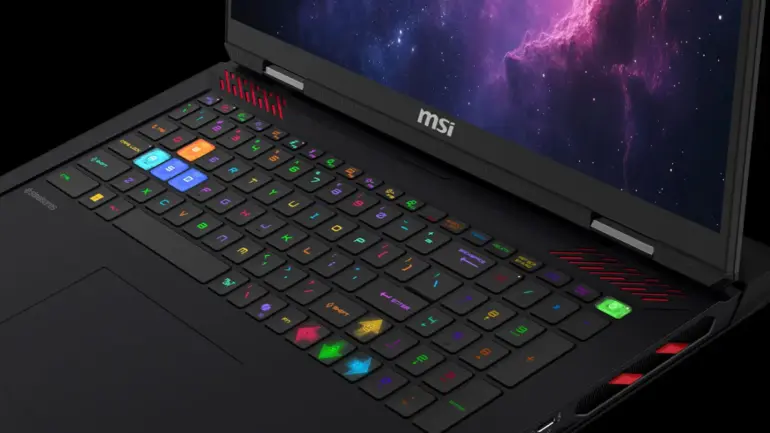
Best Overall: MSI Raider 18 HX AI
Starting at $3,299 (tested at $3,499 with RTX 5080) | Check price at MSI Store
The MSI Raider 18 HX AI earns its place at the top through sheer dominance in every category that matters. This 18-inch desktop replacement combines an Intel Core Ultra 9 285HX processor with the GeForce RTX 5080 16GB GPU, delivering frame rates that leave even last generation’s RTX 4090 laptops in the dust.
The 18-inch, 4K, 120Hz MiniLED display is the real showstopper. In our testing, it covered 83.1% of the DCI-P3 color gamut and averaged 668 nits of brightness, making it one of the most vibrant panels we’ve tested on a gaming laptop this year. Dark scenes in games like Cyberpunk 2077 display with incredible local dimming contrast that IPS panels simply cannot match.
Benchmark Performance:
- Assassin’s Creed Mirage (Ultra, 1080p): 153 fps
- Cyberpunk 2077 (Ultra, 1080p): 64 fps
- Far Cry 6 (Ultra, 1080p): 118 fps
- Geekbench 6 Multi-Core: 21,851
The keyboard uses well-spaced keys with a bouncy feel that prevents bottoming out during intense gaming sessions. I hit my personal best typing speed of 118 words per minute during extended testing. The Harman-tuned speakers deliver enough volume to overpower the fans, though you’ll want headphones for competitive play.
The Trade-offs: Battery life struggles at just 2 hours and 33 minutes in our video rundown test. The fans run loud under load, and the thermal output means this laptop belongs on a desk, not your lap. The price tag also exceeds $3,000, putting it firmly in enthusiast territory.
Specs:
- CPU: Intel Core Ultra 9 285HX
- GPU: NVIDIA GeForce RTX 5080 16GB
- RAM: 64GB DDR5
- Storage: 4TB NVMe SSD
- Display: 18-inch, 3840×2160, 120Hz MiniLED
- Weight: 5.1 pounds
Who Should Buy: Gamers who want no-compromise performance and don’t mind paying for it. Content creators who need a portable workstation that doubles as a gaming powerhouse.
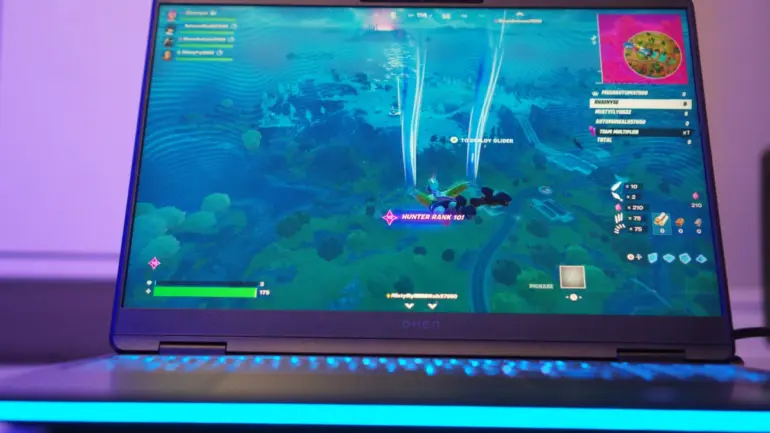
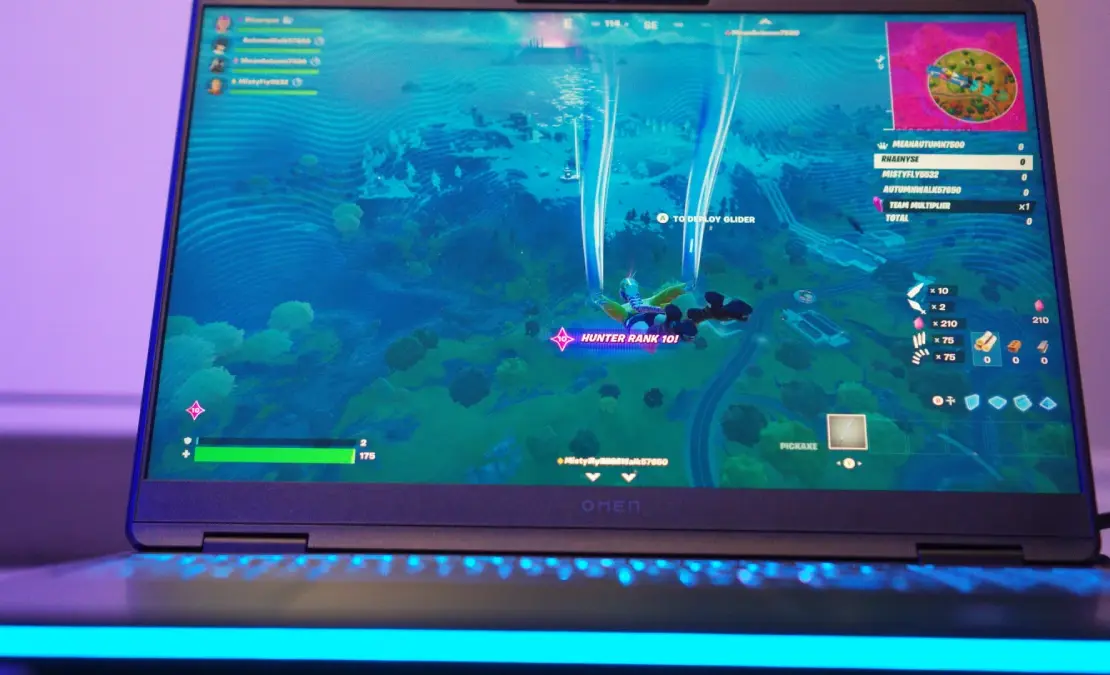
Best Value: HP Omen Max 16
Starting at $1,699 (tested at $3,509 with RTX 5080) | Check price at Amazon
The HP Omen Max 16 delivers RTX 5080 performance for roughly $1,000 less than competitors with similar internals. Our full review found that Intel’s 24-core Core Ultra 9 275HX paired with NVIDIA’s GeForce RTX 5080 beat 78% of systems in 3DMark’s Fire Strike Ultra database. For buyers who want premium gaming without the premium tax, HP nailed the balance.
The optional 240Hz OLED display justifies its $190 upgrade cost immediately. Our SpyderX testing confirmed full sRGB gamut coverage, extensive Adobe RGB representation, and excellent DCI-P3 reproduction. Colors pop with OLED’s characteristic vibrancy, and the 240Hz refresh rate eliminates tearing in fast-paced shooters. The glossy finish attracts reflections in bright rooms, but for gaming in controlled lighting, this panel competes with displays costing hundreds more.
Build quality impressed throughout testing. The aluminum chassis showed zero flex under pressure, and HP’s restrained styling keeps the laptop presentable in professional settings. A single RGB light bar runs along the front edge, avoiding the aggressive gamer aesthetic that plagues competitors.
Benchmark Performance:
- 3DMark Fire Strike Ultra: 11,050 (better than 78% of all results)
- DLSS 4 Performance Gain: 272% at 4K (24 fps → 90 fps)
- Cyberpunk 2077 Ray Tracing Overdrive: Playable with DLSS enabled
- Geekbench 6 Multi-Core: Outpaced previous-gen Core i9 chips
The Omen Gaming Hub software provides granular control that enthusiasts crave: per-core CPU multipliers, voltage adjustments, GPU core and memory offsets, plus per-key RGB customization. HP includes macro programming, fan curve control, and a schedulable junk-file cleaner.
The Trade-offs: Battery life barely reaches three hours in video playback testing. At 5.9 pounds, this laptop belongs on a desk rather than in a commuter bag. The SK hynix SSD performs adequately but not exceptionally compared to cutting-edge Gen 4 drives. This is a desktop replacement that occasionally moves rooms, not a truly portable machine.
Specs:
- CPU: Intel Core Ultra 9 275HX (24 cores, 5.4GHz turbo)
- GPU: NVIDIA GeForce RTX 5080 16GB
- RAM: 32GB DDR5-5586
- Storage: 1TB NVMe SSD
- Display: 16-inch, 2560×1600, 240Hz OLED
- Weight: 5.9 pounds
Who Should Buy: Budget-conscious enthusiasts who want RTX 5080 performance without paying Razer prices. Desktop replacement seekers who prioritize display quality and don’t need all-day battery life. Content creators who value the OLED’s color accuracy for photo and video work.
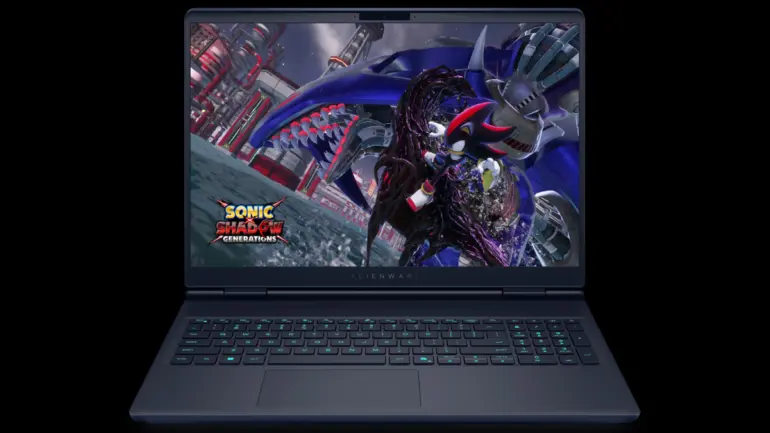
Best Midrange: Alienware 16X Aurora
Starting at $1,499 (tested at $1,699 with upgraded storage)
Dell’s Alienware 16X Aurora represents the new midrange sweet spot. The combination of an Intel Core Ultra 7 processor and GeForce RTX 5060 GPU handles modern games at high settings without breaking the bank. At $1,499, you get components that would have cost $2,500 just two years ago.
The 16-inch, 2560×1600, 240Hz IPS display strikes the right balance between resolution and refresh rate. Colors measure at 80% DCI-P3 coverage with peak brightness around 450 nits. Not as stunning as the premium OLED options, but absolutely suitable for immersive gaming sessions.
Build quality impressed throughout testing. The aluminum lid feels solid, the hinge mechanism operates smoothly, and the chassis resists flex under pressure. Alienware’s redesigned thermals keep the WASD keys comfortably warm even during extended gaming sessions, though the bottom panel gets toasty enough that desk use is recommended.
Benchmark Performance:
- Assassin’s Creed Mirage (Ultra, 1080p): 87 fps
- Far Cry 6 (Ultra, 1080p): 82 fps
- Geekbench 6 Multi-Core: 14,892
The Trade-offs: The RTX 5060 won’t hit triple-digit frame rates at Ultra settings in demanding titles. You’ll need to dial back ray tracing to maintain smooth gameplay. No OLED display option limits visual punch compared to pricier competitors.
Specs:
- CPU: Intel Core Ultra 7 155H
- GPU: NVIDIA GeForce RTX 5060 8GB
- RAM: 16GB DDR5
- Storage: 1TB NVMe SSD
- Display: 16-inch, 2560×1600, 240Hz IPS
- Weight: 5.3 pounds
Who Should Buy: Gamers who want current-generation RTX 50 series performance without spending $3,000. Students and young professionals who need a laptop that handles both coursework and evening gaming.
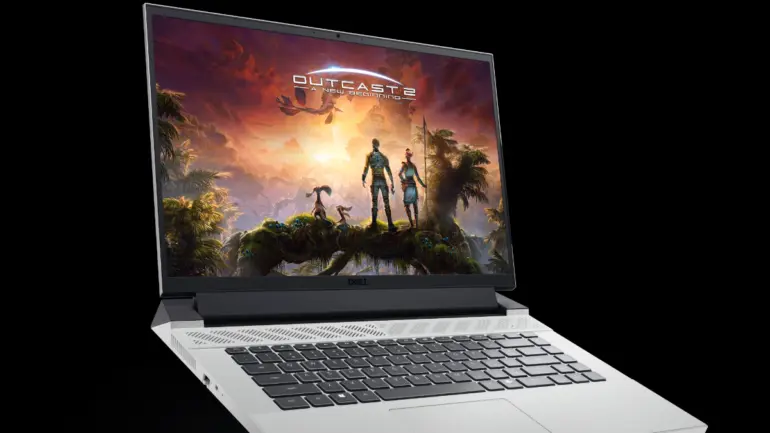
Best Budget: Dell G16 (7630)
Starting at $899 (tested at $999)
Finding a quality gaming laptop under $1,000 has become increasingly difficult, but the Dell G16 (7630) proves that budget gaming doesn’t mean compromising on essentials. For under a grand, you get a mechanical keyboard (rare at this price), a GeForce RTX 4060 GPU, and a surprisingly colorful display.
The 16-inch, 2560×1600, 240Hz panel covers 114% of the DCI-P3 color gamut, outperforming some laptops costing twice as much. At 310 nits, brightness falls short of ideal for well-lit rooms, but the color accuracy makes games pop with vibrancy. I spent hours playing Baldur’s Gate 3 on this panel and never felt shortchanged.
The Intel Core i7-1365HX processor handles productivity tasks alongside gaming without stuttering. Multitasking between Discord, a browser with multiple tabs, and a game running in the background caused no noticeable slowdown.
Benchmark Performance:
- Cyberpunk 2077 (Ultra, 1080p): 33 fps
- Assassin’s Creed Mirage (Ultra, 1080p): 88 fps
- Battery Life: 5 hours 4 minutes
The Trade-offs: The touchpad is cramped and difficult to use. Speakers sound hollow and lack bass. The chassis runs hot during extended gaming sessions. You’ll want a cooling pad for marathon sessions.
Specs:
- CPU: Intel Core i7-1365HX
- GPU: NVIDIA GeForce RTX 4060 8GB
- RAM: 16GB DDR5
- Storage: 1TB NVMe SSD
- Display: 16-inch, 2560×1600, 240Hz IPS
- Weight: 6 pounds
Who Should Buy: First-time gaming laptop buyers. Students on a tight budget who refuse to compromise on display quality. Anyone who wants a mechanical keyboard experience without paying premium prices.
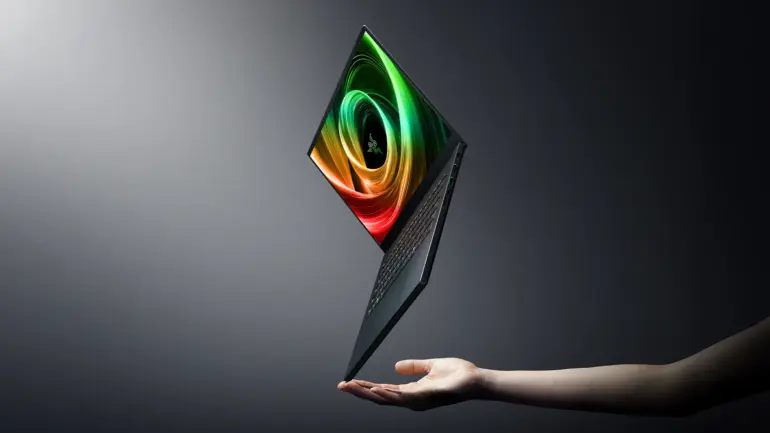
Best Portable: Razer Blade 14 (2025)
Starting at $1,799 (tested at $2,499 with RTX 5070) | Check price at Razer

Razer continues to dominate the thin-and-light gaming category with the 2025 Blade 14. Weighing just 3.9 pounds with dimensions that slip into any laptop bag, this machine defies expectations about what’s possible in a portable form factor.
The AMD Ryzen AI 9 HX 370 processor pairs with up to an RTX 5080 GPU, though our $2,499 test unit featured the RTX 5070. Frame rates in Red Dead Redemption 2 averaged 76 fps at 1080p on High settings, impressive for such a compact machine. The 14-inch, 2560×1600, 240Hz OLED display covers 144.6% of the DCI-P3 gamut, producing the most vibrant colors in our test group.
Battery life surprised us. Most gaming laptops with discrete GPUs struggle to hit 5 hours in web browsing tests. The Blade 14 lasted 7 hours and 22 minutes, making it genuinely usable for a full workday away from the charger.
Benchmark Performance:
- Red Dead Redemption 2 (High, 1080p): 76 fps
- Far Cry 6 (Ultra, 1080p): 97 fps
- Battery Life: 7 hours 22 minutes
- SSD Transfer: 1,730 MB/s
The Trade-offs: Thermals run hot under sustained load. The top of the keyboard measured 125.8°F during gaming, which requires adjusting hand position. Upgrades push the price toward $4,000 quickly. The smaller 14-inch screen may feel cramped for players used to larger displays.
Specs:
- CPU: AMD Ryzen AI 9 HX 370
- GPU: NVIDIA GeForce RTX 5070 8GB (up to RTX 5080)
- RAM: 32GB DDR5
- Storage: 2TB NVMe SSD
- Display: 14-inch, 2560×1600, 240Hz OLED
- Weight: 3.9 pounds
Who Should Buy: Frequent travelers who refuse to sacrifice gaming performance. Professionals who need a laptop that transitions seamlessly between client meetings and hotel gaming sessions.
Best Premium: Razer Blade 16 (2025)
Premium pricing (tested at $4,499 with RTX 5090) | Check price at Razer
If you want the most refined, premium-feeling gaming laptop in 2025, the Razer Blade 16 is still the one to beat. It targets buyers who care as much about build quality and portability as they do about frame rates, and it’s one of the cleanest-looking machines in the category.
Configurations climb to NVIDIA’s GeForce RTX 5090, which is the main reason this laptop sits in a different price bracket than the value-focused picks above. When you’re shopping in this tier, you’re paying for a mix of performance, fit-and-finish, and a more “normal laptop” vibe that doesn’t scream gamer.
What you’re buying here:
- Premium chassis and top-tier components
- High-end RTX 50-series options (including RTX 5090)
- A strong balance of power and portability for a flagship-class machine


The Trade-offs: Price is the obvious one. This is also the sort of laptop where upgrades can push you well past the point of diminishing returns if you’re primarily playing at 1440p.
Who Should Buy: Enthusiasts who want a luxury gaming laptop experience and are willing to pay for it, especially if you value design, portability, and premium build quality as much as raw specs.
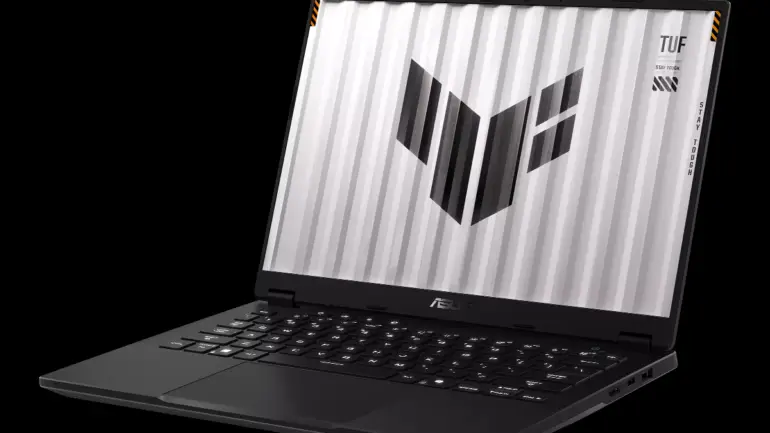
Best Battery Life: Asus TUF Gaming A14
Starting at $1,299 (tested at $1,399)
The Asus TUF Gaming A14 achieves something remarkable: 10 hours and 4 minutes of battery life in our web browsing test. For a gaming laptop with a discrete RTX 4060 GPU, this result rewrites expectations about what’s possible on battery power.
The secret lies in AMD’s efficient Ryzen 7 8845HS processor paired with intelligent power management. During light productivity work, the system sips power. When you launch a game, performance mode kicks in and the RTX 4060 delivers competitive frame rates. The transition between power states happens seamlessly.
At 3.2 pounds and 0.78 inches thick, this qualifies as genuinely portable. I carried the TUF A14 in my backpack for a week of commuting without back pain or regret. The MIL-STD-810H certification means it survives the occasional bump or drop that accompanies mobile life.
Benchmark Performance:
- Assassin’s Creed Mirage (Ultra, 1080p): 87 fps
- Cyberpunk 2077 (Ultra, 1080p): 30 fps
- Battery Life: 10 hours 4 minutes (web), 1 hour 6 minutes (gaming)
The Trade-offs: The touchpad feels sluggish and imprecise. An external mouse is essential for any serious use. The RTX 4060 won’t push demanding titles past 60 fps at high settings. Speaker quality falls below average for the price.
Specs:
- CPU: AMD Ryzen 7 8845HS
- GPU: NVIDIA GeForce RTX 4060 8GB
- RAM: 16GB DDR5
- Storage: 1TB NVMe SSD
- Display: 14-inch, 2560×1600, 165Hz IPS
- Weight: 3.2 pounds
Who Should Buy: Students who need a laptop that survives all-day classes and still games in the evening. Business travelers who want gaming capability without carrying a charger everywhere.
How to Choose: Key Buying Considerations
GPU Hierarchy: What You Actually Need
The NVIDIA GeForce RTX 50 series dominates 2025’s gaming laptop market. Here’s how the tiers break down:
RTX 5090 (24GB VRAM): Overkill for most gamers. Delivers 4K gaming at high refresh rates, but costs $4,000+ in laptop form. Only consider this if you need professional content creation alongside gaming.
RTX 5080 (16GB VRAM): The sweet spot for enthusiasts. Handles 1440p gaming at 120+ fps in most titles. Ray tracing becomes genuinely playable. Laptops start around $2,500.
RTX 5070 / 5070 Ti (8-12GB VRAM): Excellent 1440p performance and good 4K gaming with DLSS upscaling. The value leader for serious gamers. Expect to pay $1,800 to $2,500.
RTX 5060 (8GB VRAM): Solid 1080p and entry-level 1440p gaming. Handles most current games at high settings. Laptops start around $1,200.
RTX 5050 / RTX 4060 (6-8GB VRAM): Budget gaming at 1080p. With DLSS 4, even the entry-level RTX 5050 now handles demanding titles. Laptops available under $1,000.
Display Technology: Resolution vs. Refresh Rate
1080p at 360Hz: Competitive esports focus. Maximum frame rates for games like Valorant and Counter-Strike 2. Sacrifices visual detail for smoothness.
1440p at 240Hz: The balanced choice for most gamers. Sharp enough for immersion, fast enough for responsive gameplay. Our recommended default.
4K at 120Hz: Visual fidelity priority. Stunning in single-player games. Requires RTX 5080 or better to hit native resolution targets.
OLED vs. Mini-LED: OLED delivers perfect blacks and infinite contrast. Mini-LED offers higher peak brightness and no burn-in risk. Both outperform standard IPS panels significantly.
Processor: Intel vs. AMD in 2025
Intel’s Core Ultra 200 series (Arrow Lake) leads in raw multi-threaded performance, making them the choice for content creation alongside gaming. AMD’s Ryzen 9000 series offers better battery efficiency and competitive gaming performance. For pure gaming, either platform works well, so base your decision on secondary priorities like battery life or streaming capability.
FAQ
Is the RTX 5090 worth the extra cost over the RTX 5080?
For most gamers, no. The RTX 5080 handles 1440p gaming at high refresh rates without issue. The RTX 5090 adds 30% more performance for 50% more cost. Only consider it if you require 4K gaming at maximum settings or use GPU-intensive professional applications.
How does the GeForce RTX 5060 compare to the RTX 4070?
The RTX 5060 delivers roughly equivalent raw performance to the RTX 4070, but DLSS 4 support makes it more effective in supported games. If you’re upgrading from an RTX 4060 or older, the RTX 5060 offers meaningful improvement. Upgrading from an RTX 4070 provides minimal benefit.
Should I wait for the RTX 5050 laptops?
The RTX 5050 laptops are launching now at prices starting around $999. If budget is your primary concern and you can wait, the RTX 5050 with DLSS 4 outperforms the RTX 4050 significantly. For immediate purchase, RTX 4060 laptops on sale offer excellent value.
Can gaming laptops handle professional workloads?
Yes. Modern gaming laptops with RTX 50 series GPUs excel at video editing, 3D rendering, and AI workloads. The same hardware that pushes gaming frames accelerates Adobe Premiere, DaVinci Resolve, and Blender renders.
What battery life should I expect?
Budget 4-6 hours for web browsing and productivity on most gaming laptops. Expect 1-2 hours of actual gaming on battery. The Asus TUF Gaming A14 stands alone with 10+ hours of productivity battery life.
Does RAM amount matter for gaming?
16GB handles all current games. 32GB provides headroom for streaming, browser tabs, and future titles. 64GB offers no gaming benefit but helps video editing and 3D work.
Affiliate Disclosure
GameHaunt maintains editorial independence in all reviews and recommendations. This article contains affiliate links to retailers. When you purchase through these links, we earn a commission that supports our independent testing and content creation at no additional cost to you. Our product recommendations and testing methodologies remain unbiased regardless of affiliate relationships.
We purchase retail units or receive review samples directly from manufacturers. Price comparisons, benchmark data, and performance assessments reflect objective testing, not affiliate partnerships.

