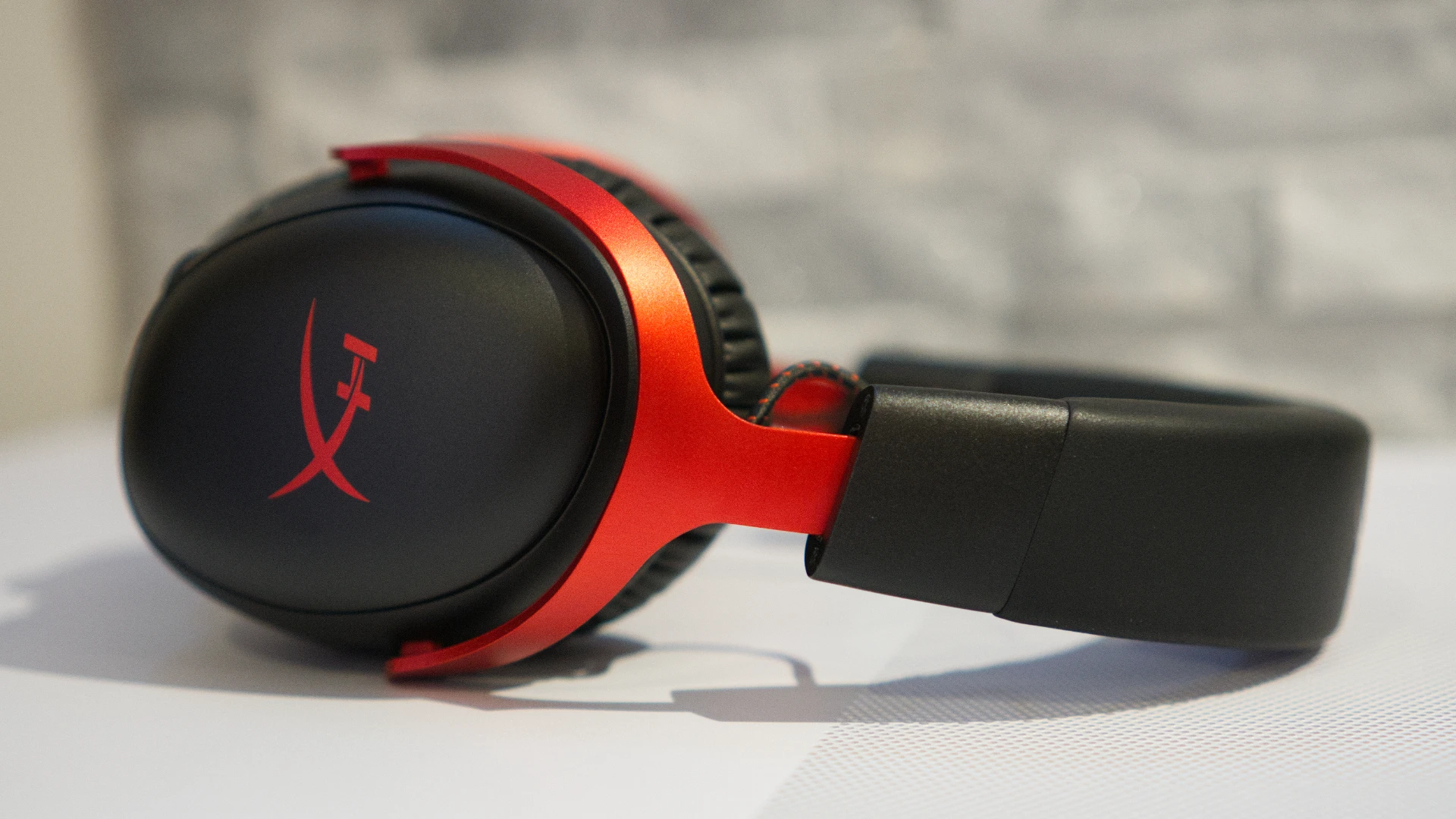

The HyperX Cloud III S Wireless ($179.99) is the headset HyperX should have shipped from the start. It carries forward everything that made the Cloud III Wireless a strong performer, including its lightweight build, those angled 53mm dynamic drivers, and an impressive 120-hour battery life over 2.4 GHz wireless, but it finally adds Bluetooth connectivity. That single addition transforms it from a capable but limited gaming headset into a more versatile daily companion.
It won’t displace flagship audiophile options like the Audeze Maxwell, and its companion software leaves something to be desired, but at $179.99, the Cloud III S Wireless is a competitive, well-rounded wireless gaming headset that’s only $10 more than the Cloud III Wireless it replaces. Canadian buyers can already find it listed at Best Buy Canada for CA $169.99.
Editor’s Take
The HyperX Cloud III S Wireless corrects the most glaring flaw of its predecessor by adding Bluetooth connectivity, delivering a comfortable, great-sounding wireless gaming headset at a fair price, though its underwhelming software and low microphone output volume hold it back from true flagship status.
Pros
- Dual wireless: 2.4 GHz and Bluetooth
- Outstanding battery life (120 hrs / 200 hrs)
- Exceptionally comfortable over long sessions
- Great directional audio for gaming
- Both boom mic and built-in mic included
Cons
- No wired/analog connection option
- Ngenuity software is thin on features
- Boom mic output volume is low
- DTS Spatial Sound barely makes an audible difference
- Swappable caps have no confirmed accessories yet
At a Glance
| Spec | Details |
|---|---|
| Driver Size | 53mm dynamic, angled |
| Connectivity | 2.4 GHz wireless, Bluetooth 5.3 |
| Battery Life | 120 hrs (2.4 GHz), up to 200 hrs (Bluetooth) |
| Microphone | Detachable boom mic + built-in omni mic |
| Weight | 12.05 oz / 341.5 g (without boom mic) |
| Price | $179.99 USD / CA $169.99 |
| Verdict | A versatile, comfortable wireless gaming headset that finally has the Bluetooth its predecessor was missing. |
Design and Comfort: Familiar Formula, a Few New Tricks
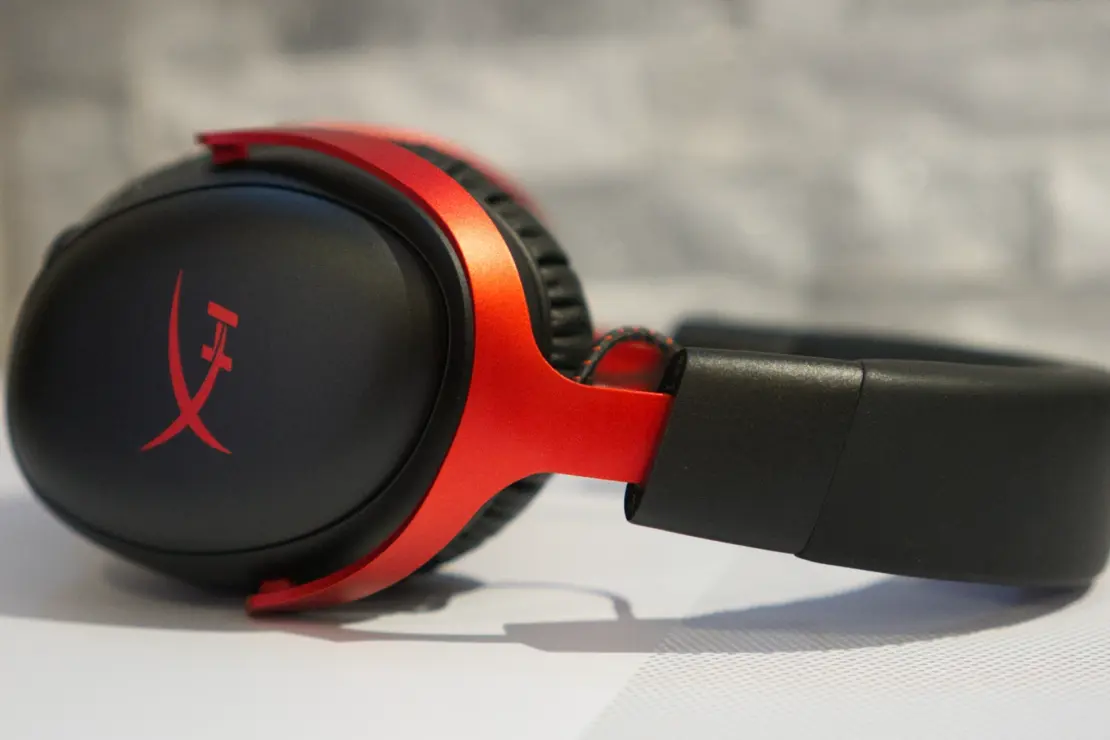
The Cloud III S Wireless is an over-ear (circumaural) headset, and if you’ve seen the Cloud III Wireless before, you’ll feel immediately at home here. HyperX kept the padded leatherette headband, curved aluminum yokes, and oval plastic earcups. Our review unit arrived in black/red, which is predominantly black with red aluminum forks and a red HyperX logo on each earcup. A clean all-black colorway also exists if red isn’t your thing.
The two notable design changes are the magnetically attached speaker plates and a new multi-function button on the right earcup. The swappable plates open the door for customization down the road, though HyperX hasn’t confirmed any specific decorative caps to buy yet. It’s a feature for the future.
Each earcup adjusts independently through nine notched steps, extending roughly 1.5 inches (38.1 mm) for a total internal headband length of about 11.75 inches (298 mm). The cups tilt but don’t swivel, and the headset won’t fold flat, so it’s not the best option for travel. That said, the flexible headband compensates nicely for the lack of swivel during regular use.
The earcups themselves feature memory foam padding covered in leatherette. It’s soft, moderately thick, and provides solid passive noise isolation. Because the oval cups angle slightly to match your ear’s natural position, the headset sits flush and evenly against your head without hot spots.
Controls are split between both earcups. On the left, starting from the back, you get a round mute button, an oblong power button, a USB-C charging port, and the 3.5mm jack for the detachable boom mic. Honestly, I found myself reaching for the power button when I wanted to mute because of the placement. A dedicated toggle switch, like the one Logitech uses on the G Pro X 2 Lightspeed, would be a cleaner solution. You can also tap and hold the mute button for two seconds to toggle mic monitoring through HyperX’s Ngenuity software.
On the right earcup, you’ll find the new multi-function button, a volume wheel, and a connectivity switch for toggling between 2.4 GHz and Bluetooth. The multi-function button works exactly as you’d expect from any Bluetooth headset: single tap to play/pause or answer a call, double tap to skip a track or end a call, triple tap to go back a track, and a two-second hold to summon your phone’s voice assistant.
At 12.05 oz (341.5 g) without the boom mic attached (12.4 oz / 353.5 g with it), the Cloud III S Wireless is slightly heavier than both the Cloud III Wireless (11.64 oz / 330 g) and the wired Cloud III (10.86 oz / 308 g). You probably won’t notice the difference during a three-hour gaming session. The clamping force is light, somehow just firm enough to stay in place without reminding you it’s there.
In the box, HyperX includes a drawstring microfiber carrying case, a short USB-C to USB-C charging cable (about 2 feet / 60 cm), a 2.4 GHz USB-C dongle with a USB-C to USB-A converter, and the detachable boom mic.
Full Specifications
| Specification | Details |
|---|---|
| Driver Type | 53mm dynamic, angled |
| Frequency Response | 10 Hz to 21,000 Hz |
| Impedance | 64 Ohms |
| Microphone (Boom) | Electret condenser, uni-directional, 69.85 mm gooseneck |
| Microphone (Built-in) | MEMS, omni-directional |
| Design Style | Circumaural (over-ear) |
| Connectivity | 2.4 GHz wireless (USB-C dongle), Bluetooth 5.3, HP Instant Pair |
| Battery Life | 120 hrs (2.4 GHz), up to 200 hrs (Bluetooth) |
| Charging | USB-C, ~22-inch (55.9 cm) cable included |
| Weight | 12.05 oz / 341.5 g (no boom mic); 12.4 oz / 353.5 g (with boom mic) |
| Earcup Adjustment | 9 notched steps, 1.5 inches (38.1 mm) extension |
| Lighting | None |
| Software | HyperX Ngenuity |
| Color Options | Black, Black/Red |
| Price | $179.99 USD |
| Release Date | May 12, 2025 |
Audio Performance: Great for Gaming, Good for Everything Else
The Cloud III S Wireless shares the same redesigned, angled 53mm dynamic drivers as its stablemates, the Cloud III and Cloud III Wireless. HyperX rates their frequency response at 10 Hz to 21,000 Hz, wider than the standard 20 Hz to 20,000 Hz range you’ll find in most gaming headsets. That said, driver specs alone don’t tell the full story.
In practice, the Cloud III S Wireless sounds excellent for gaming. Directional audio is sharp and natural. Playing through Hunt: Showdown, you can pinpoint footsteps and distant gunshots with real confidence, even without enabling the headset’s DTS Spatial Sound. For games like Baldur’s Gate 3 and Uncharted, the layered environmental audio comes through clearly: distant ambient sounds, distinct NPC lines, and spatial cues all land exactly where they should.
Music listening is a slightly different story. The bass response is deep and satisfying, and the highs are clean. The mids sit back a little, which works well for gaming but can make midrange-heavy genres feel slightly thin. If you listen to a lot of vocals or acoustic music, you might notice the difference. For gaming, podcasts, and streaming, it’s a strong performer.
As for DTS Spatial Sound, the virtual surround feature you toggle in Ngenuity, the effect is subtle to the point of being barely perceptible. Switching it on and off during a gaming session, it was genuinely hard to hear a meaningful difference. The headset’s natural stereo imaging already does the heavy lifting, so this isn’t a dealbreaker, but it’s worth knowing that the DTS toggle won’t deliver the dramatic surround effect some users might expect.
Microphone: Two Options, Two Acceptable Performers
The Cloud III S Wireless gives you a detachable boom mic and a built-in mic, which means you can step away from your PC and still take calls without looking like you’re working from a command center.
The detachable boom mic sits at the end of a 2.75-inch (69.85 mm) flexible gooseneck arm and uses a uni-directional electret condenser. Vocal clarity is solid. Friends and colleagues had no trouble hearing me, and the background noise rejection is decent. The main complaint is recording volume: even with the gain cranked all the way up in Ngenuity, the output level runs lower than comparable headsets. Nobody reported not being able to hear me, but nobody said I sounded particularly great either.

The built-in mic is omni-directional, so it picks up more ambient noise by nature. That said, the difference between the two mics in practice was smaller than expected (which, depending on how you look at it, is either a compliment for the built-in or faint praise for the boom). I used the built-in mic for calls while walking around downtown, and everyone I spoke to heard me clearly. For casual Bluetooth calls or quick voice chat, it gets the job done.
Features and Software: Functional, But Sparse
The Cloud III S Wireless works with HyperX Ngenuity, the brand’s companion PC software. The first thing it did when I connected the headset was download a driver update and prompt a restart. Not the smoothest welcome.
Once past that, Ngenuity lets you adjust volume, mute the mic, toggle mic monitoring, set mic gain (for both the boom and built-in mics), toggle DTS Spatial Sound, tweak the equalizer, and manage the headset’s auto-shutoff timer (10, 20, or 30 minutes, or never). You can also disable the voice prompt alerts.
That’s about it. Compared to Logitech’s G Hub, which includes separate microphone processing controls, or SteelSeries’ GG software, which offers a mic EQ, Ngenuity feels underbuilt. A dedicated noise gate or mic compression option would make a real difference for streamers and remote workers. The equalizer does exist and works, which is a plus, but the software as a whole won’t impress anyone coming from a competing platform.
One feature worth highlighting: HP Instant Pair support. If you pair the Cloud III S Wireless with a compatible HP Omen laptop, the headset connects through the laptop’s built-in 2.4 GHz receiver. That frees up your USB-C dongle for a second device. Double-pressing the multi-function button while in 2.4 GHz mode switches between the two paired devices.


Battery Life and Connectivity: The Real Story
HyperX rates the Cloud III S Wireless at 120 hours over 2.4 GHz wireless and up to 200 hours over Bluetooth. Both numbers are remarkable. For context, the Razer BlackShark V2 Pro (2023) is rated for about 70 hours, which is itself considered strong for a wireless gaming headset. The HyperX Cloud Alpha still holds the crown at up to 300 hours, but the Cloud III S Wireless competes aggressively with the rest of the field.
The 2.4 GHz wireless connection handles your gaming and PC audio, while Bluetooth covers your phone or tablet. If you want to use the headset with a second 2.4 GHz device alongside an HP Omen laptop, the HP Instant Pair setup mentioned above supports that scenario. There is no wired or analog connection option, which the Cloud III Wireless also lacked. If you need a 3.5mm analog cable for use on flights or with devices that don’t support USB, you’ll want to look elsewhere.
The included 3.5mm port on the left earcup is for the boom mic only, not for analog audio input.
How the Cloud III S Wireless Compares
| Feature | HyperX Cloud III S Wireless | HyperX Cloud III Wireless | Razer BlackShark V2 Pro (2023) | Audeze Maxwell |
|---|---|---|---|---|
| Driver Size | 53mm dynamic | 53mm dynamic | 50mm dynamic | 90mm planar magnetic |
| Connectivity | 2.4 GHz + Bluetooth | 2.4 GHz only | 2.4 GHz + Bluetooth | 2.4 GHz + Bluetooth |
| Battery Life | 120 hrs / 200 hrs (BT) | 120 hrs | ~70 hrs | ~80 hrs (2.4 GHz) |
| Weight | 12.05 oz (341.5 g) | 11.64 oz (330 g) | 11.99 oz (340 g) | 15.9 oz (490 g) |
| Microphone | Detachable boom + built-in | Detachable boom only | Detachable boom + built-in | Detachable boom + built-in |
| Software | HyperX Ngenuity | HyperX Ngenuity | Razer Synapse | Audeze HQ |
| Price | $179.99 | $169.99 | $199.99 | $299.99 |
| Best For | Battery life + Bluetooth versatility | PC-only gaming on a budget | Razer ecosystem users | Best-in-class audio quality |
Frequently Asked Questions
Is the HyperX Cloud III S Wireless worth buying?
Yes, especially if you want a single wireless headset that works seamlessly across your gaming PC and your phone. At $179.99, it costs $10 more than the Cloud III Wireless but adds Bluetooth, a built-in mic, a multi-function button, and swappable speaker plates. That’s a fair trade. If you don’t need Bluetooth and primarily game on PC, the Cloud III Wireless at $169.99 remains a strong option.
How does the Cloud III S Wireless compare to the Razer BlackShark V2 Pro?
Both headsets offer 2.4 GHz and Bluetooth connectivity, but at different price points. The BlackShark V2 Pro runs $199.99 and delivers strong audio performance with Razer’s THX Spatial Audio software. The Cloud III S Wireless undercuts it by $20 and delivers a significantly longer battery life. If you’re already in the Razer ecosystem, the BlackShark is a natural fit. Otherwise, HyperX’s battery advantage is hard to ignore.
What’s the battery life like on the Cloud III S Wireless in Canada?
Battery life is one of this headset’s strongest selling points. HyperX rates it at 120 hours over 2.4 GHz wireless and up to 200 hours over Bluetooth. Most flagship wireless gaming headsets land between 50 and 80 hours. Canadian buyers can pick up the Cloud III S Wireless at Best Buy Canada for CA $169.99.
Can you use the Cloud III S Wireless with a PlayStation or Nintendo Switch?
The 2.4 GHz wireless dongle is USB-C based and works with devices that have a USB-C port, including the Nintendo Switch in docked mode with an adapter. PlayStation 5 supports USB audio devices, so you can plug in the dongle and use it there as well. Bluetooth mode will connect to any Bluetooth-enabled device, including the Switch and mobile phones, though Bluetooth codec support and latency may vary.
Does the Cloud III S Wireless have active noise cancellation?
No. The Cloud III S Wireless relies on passive noise isolation through its leatherette memory foam earcups. The noise isolation is effective enough for typical home gaming environments, but it won’t compete with dedicated ANC headsets for commuting or noisy public spaces.
Can you replace the earcups on the Cloud III S Wireless?
HyperX has designed the Cloud III S Wireless with magnetically attached speaker plates, which you can swap for decorative alternatives. However, as of the May 2025 launch, HyperX has not confirmed specific accessories available for purchase. The feature is there and ready, but the ecosystem of caps hasn’t materialized yet. Watch the HyperX website for updates.
Verdict
The HyperX Cloud III S Wireless does exactly what a revision should do: it fixes the thing that held its predecessor back. The Cloud III Wireless was a genuinely good headset that frustrated users by locking them into a single wireless mode. The Cloud III S Wireless opens that up with Bluetooth, adds a built-in mic for calls away from your desk, and tosses in a multi-function button, all for just $10 more.
Audio performance remains excellent for gaming. The directional sound is precise, the bass is satisfying, and the extended frequency range gives the headset room to breathe. The 120-hour battery on 2.4 GHz is among the best in the category.
Where the headset falls short is in the details. Ngenuity software is functional but thin compared to rivals. The boom mic records at a lower volume than you’d hope for a headset at this price. And DTS Spatial Sound, the virtual surround toggle, barely makes an audible difference. None of these are dealbreakers, but they add up to a headset that’s excellent in some ways and average in others.
If you need a reliable wireless gaming headset with genuine Bluetooth versatility and outstanding battery life, the Cloud III S Wireless delivers. If you’re a content creator who needs a stronger mic or audiophile-grade sound quality, look toward the Audeze Maxwell, though be prepared to spend an extra $120.