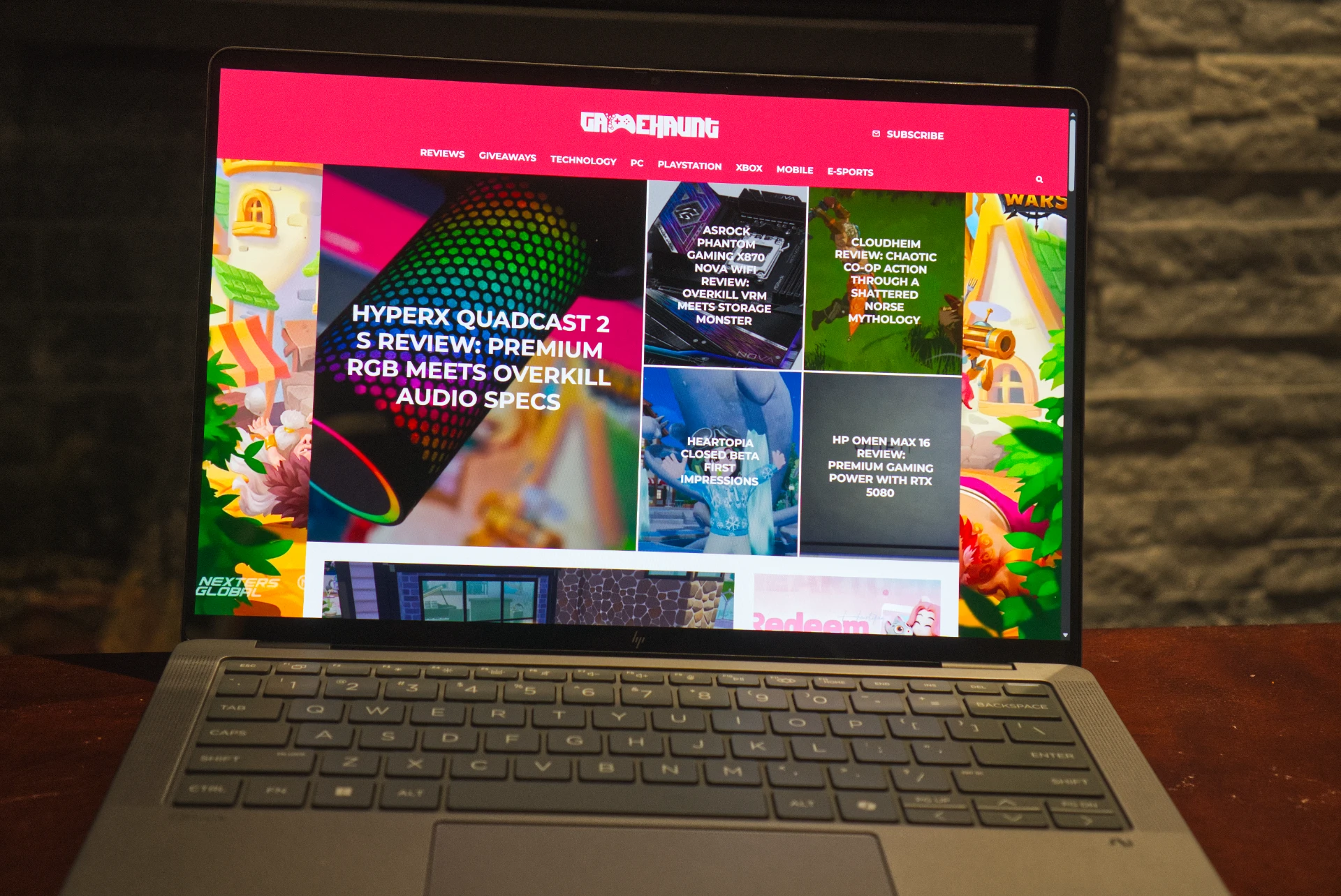

The HP ZBook Ultra G1a powered by AMD Ryzen AI Max+ 395 delivers desktop-class performance in a compact 14-inch form factor, though battery life and thermal management hold it back from perfection.
At a Glance
| Spec | Detail |
|---|---|
| Processor | AMD Ryzen AI Max+ Pro 395 (16 Zen 5 cores / 32 threads) |
| Graphics | AMD Radeon RX 8060S (40 RDNA 3.5 CUs, integrated) |
| NPU | 50 TOPS (Copilot+ compatible) |
| Memory | 128GB LPDDR5x unified (96GB CPU + 32GB GPU) |
| Display | 14″ 2880×1800 OLED, 120Hz, 100% DCI-P3, touch |
| Battery | 74.5 Wh (3 hr 27 min video rundown) |
| Weight | 3.52 lbs (1.6 kg) |
| Price | $2,499 – $4,299 |
| Verdict | Best raw CPU+GPU in a 14-inch — weak battery life |
The HP ZBook Ultra G1a (starting at $2,499; $4,299 as tested) represents AMD’s boldest move into the mobile workstation space. This 14-inch laptop packs the AMD Ryzen AI Max+ 395 processor, formally known as Strix Halo, combining 16 Zen 5 CPU cores with 40 Radeon GPU cores in a single chip. The laptop’s stunning 2880 x 1800 OLED display and Thunderbolt 4 connectivity stand out, though battery life struggles to last more than a few hours and the system runs warm under sustained loads.
The Apple MacBook Pro 14-inch with M4 Pro delivers superior battery life and cooler operation, but it’s $500 pricier for comparable storage and lacks the ZBook’s x86 compatibility and gaming prowess. For the best all-around mobile workstation, we recently gave the Dell Precision 5490 our Editors’ Choice award. However, if you need maximum CPU and GPU performance in a 14-inch form factor and can live near power outlets, the ZBook Ultra G1a delivers desktop-class capabilities no other compact laptop can match.
Editor’s Take
The HP ZBook Ultra G1a packs desktop-class performance into a 14-inch chassis, though fleeting battery life limits true portability.
Pros
- Desktop-class 16-core Zen 5 CPU
- Integrated GPU rivals discrete RTX 4050
- Gorgeous 2880 x 1800 OLED display
- Thunderbolt 4 on AMD platform
- Up to 128GB unified memory
- Excellent x86 and Copilot+ compatibility
- Surprisingly capable for gaming
Cons
- Battery drains in under 3 hours
- Severe throttling on battery power
- High standby power consumption
- Bulky 140W power adapter
- Only one Thunderbolt 4 port
- Audible fan noise under load
- Premium pricing at top configurations
Tested Configuration
| Spec | Details |
|---|---|
| CPU | AMD Ryzen AI Max+ Pro 395 (16-core, 5.1 GHz boost) |
| GPU | AMD Radeon RX 8060S (40 GPU cores, integrated) |
| RAM | 128GB LPDDR5x (8,533 MT/s, soldered) |
| Storage | 2TB NVMe SSD (PCIe Gen 4) |
| Display | 14-inch OLED, 2880 x 1800, 120Hz VRR, touch, 100% DCI-P3 |
| Price | $4,299 (as tested) |
Configurations and Pricing: High-End Workstation Options
HP offers the ZBook Ultra G1a starting at $2,499 with a base configuration featuring the AMD Ryzen AI Max+ 395, 64GB LPDDR5x RAM, 512GB NVMe SSD, and the 1920 x 1200 IPS non-touch display. You can upgrade to 128GB of RAM ($800 more) and storage options up to 4TB ($1,200 for 2TB, $2,400 for 4TB). The display upgrade to the 2880 x 1800 OLED touch panel adds $300, bringing our fully loaded test unit to $4,299.
The unified memory architecture distinguishes this laptop from all competitors. You can allocate RAM dynamically between the CPU and GPU. Our test unit split 96GB to the CPU and 32GB to the GPU, but you can dedicate up to 112GB directly to the integrated Radeon RX 8060S for running large AI models on-device. AMD recently announced support for OpenAI’s GPT-OSS 120B model running entirely locally with MCP support, a capability no other 14-inch laptop offers.
The Dell Precision 5490 with Intel Core Ultra 9 and NVIDIA RTX 3000 Ada starts at $2,849 and delivers comparable performance with superior battery life. The Apple MacBook Pro 14-inch with M4 Pro starts at $1,999 but reaches $3,799 for 48GB unified memory and 2TB storage. The ZBook positions itself as the performance density champion, packing more CPU cores and integrated GPU power than anything else in this size class.
HP ZBook Ultra G1a — Full Specifications
| Specification | Details |
|---|---|
| Processor | AMD Ryzen AI Max+ Pro 395 (16 Zen 5 cores / 32 threads) |
| Graphics | AMD Radeon RX 8060S (40 RDNA 3.5 GPU cores, integrated) |
| NPU | 50 TOPS (Copilot+ compatible) |
| Memory | 128GB LPDDR5x unified (96GB CPU + 32GB GPU, configurable) |
| Storage | 2TB NVMe SSD (7GB/s read, 5GB/s write on AC) |
| Display | 14-inch 2880×1800 OLED, 120Hz, 100% DCI-P3, touch |
| Battery | 74.5 Wh (3 hr 27 min video rundown) |
| Weight | 3.52 lbs (1.6 kg) |
| Dimensions | 0.98 × 14 × 10.6 in (HWD) |
| Ports | 1× Thunderbolt 4 (40 Gbps), 2× USB-C 3.2, 1× USB-A 3.2, HDMI 2.1, 3.5mm |
| Wireless | Wi-Fi 7, Bluetooth 5.4 |
| OS | Windows 11 Pro |
| Price (as tested) | $4,299 USD (starting at $2,499) |
Design and Build: Compact Workstation Quality
The ZBook Ultra G1a measures 14 inches across and weighs 3.52 pounds in the OLED touch configuration. Most comparable workstations measure 16 inches or larger due to thermal requirements. HP designed a custom cooling system specifically for this laptop to manage the Strix Halo chip in such a compact chassis.
The laptop’s chassis feels solid with no flex, every edge immaculately finished. HP keeps the design professional with minimal gaming aesthetics. The aluminum construction maintains a premium feeling without the ostentation you’ll find on ROG or Alienware machines. At 0.98 by 14 by 10.6 inches (HWD) and 3.52 pounds, the ZBook Ultra G1a is heavier than ultrabooks like the Dell XPS 14 (3.8 pounds) but significantly lighter than 16-inch workstations like the HP ZBook Fury G11 (5.6 pounds).
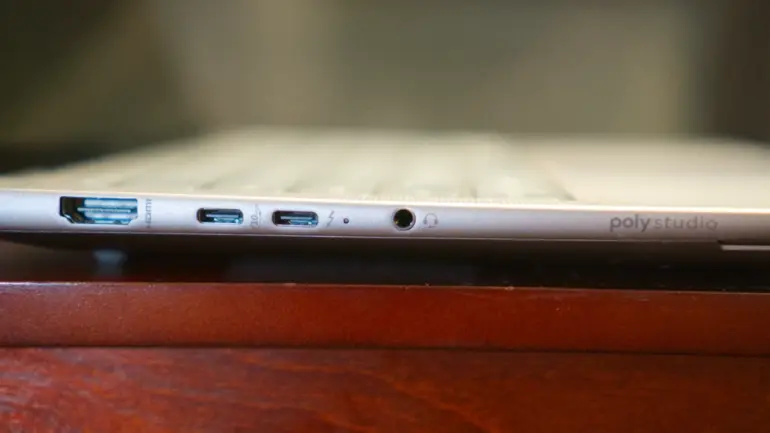
Port selection covers professional needs. You get one Thunderbolt 4 port (40 Gbps, USB Type-C), two USB-C 3.2 ports (10 Gbps), one USB-A 3.2 port (10 Gbps), HDMI 2.1, and a 3.5mm audio jack. The inclusion of Thunderbolt 4 on an AMD platform is notable, as this Intel technology rarely appears on AMD systems. Port placement allows charging from either side while maintaining full access to the Thunderbolt 4 port for high-bandwidth transfers. The full-size USB-A port eliminates the need for dongles with legacy devices.
Wi-Fi 7 and Bluetooth 5.4 handle wireless connectivity. The IR camera supports Windows Hello facial recognition, and a fingerprint sensor on the power button provides an alternative authentication method. A privacy slider physically blocks the webcam. HP backs the system with a one-year warranty, expandable to three years with optional coverage.
Display, Keyboard, and Features: Built for Content Creation
The 2880 x 1800 OLED panel delivers rich, vivid imagery. You get 100% DCI-P3 color coverage, crucial for color-critical work in Adobe Photoshop and Lightroom. The 120Hz variable refresh rate makes scrolling smooth and reduces eye strain during long editing sessions. Peak brightness reaches 400 nits, sufficient for indoor use but challenged in direct sunlight. Slim bezels keep the footprint compact without compromising screen real estate.
HP also offers a 1920 x 1200 non-touch IPS option with 100% sRGB coverage for $300 less. I didn’t test that panel, but the OLED model provides superior visual quality for content creation. The touchscreen responds accurately, though you’ll primarily use it for quick interface adjustments rather than extended interaction.
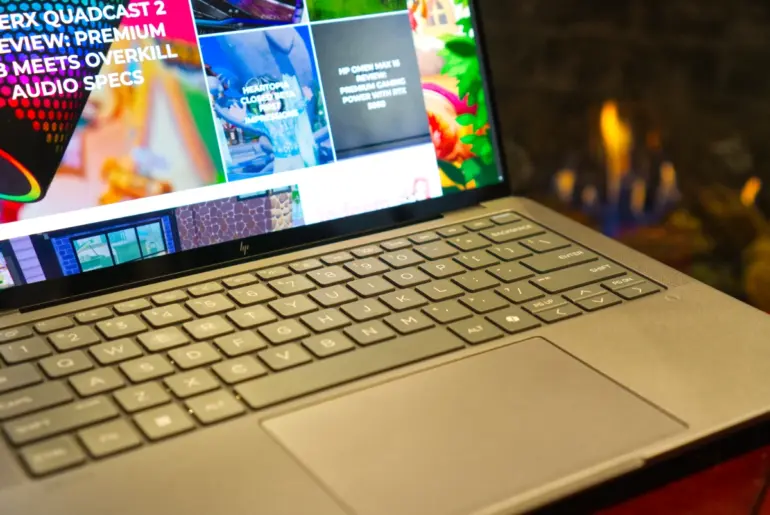
The keyboard provides adequate travel but feels light and somewhat rubbery. I easily maintained my typical typing speed, though the tactile feedback doesn’t match premium mechanical keyboards. You’ll find handy shortcuts like Fn+F10 for quick settings access. The touchpad delivers good accuracy and palm rejection, measuring 4.7 inches across with a smooth glass surface.
Windows Hello face recognition and presence detection work reliably. The system wakes quickly when you approach and locks automatically when you walk away. The fingerprint sensor on the power button provides an alternative authentication method, though I’d like to see HP relocate it for better ergonomics when the webcam privacy slider is engaged.
HP’s ZBook software suite provides system monitoring, firmware updates, and hardware diagnostics. You can adjust performance profiles, though the laptop automatically manages thermal and power limits based on workload. The 50 TOPS NPU enables Copilot+ features like Microsoft Recall for retrieving past screen content and Windows Studio Effects for improved video calls.
The speakers deliver clear sound quality with enough volume to overpower the fans during intensive work. Audio isn’t room-filling, but it suffices for video calls and casual media consumption. The 3.5mm jack supports high-impedance headphones for professionals who need accurate audio monitoring.
Thermal management keeps the chassis comfortably lukewarm under typical loads. Sustained workloads spin the fans audibly, producing a noticeable whoosh you’ll hear in quiet environments. The noise isn’t distracting with headphones on, but this isn’t a library-quiet machine.
Battery life is the only significant compromise. The 74.5 Wh battery struggles to last more than a few hours under realistic workloads, which I’ll explore next.
Performance Testing: Desktop Power in Laptop Form
I tested the ZBook Ultra G1a with the full loadout: AMD Ryzen AI Max+ Pro 395, 128GB LPDDR5x RAM (96GB CPU, 32GB GPU), 2TB NVMe SSD, and Windows 11 Pro. The comparison cohort includes the Dell Precision 5490 with Intel Core Ultra 9 285H and NVIDIA RTX 3000 Ada ($4,199), the Apple MacBook Pro 14-inch with M4 Pro ($3,799), the HP ZBook Firefly G11 with Core Ultra 7 165H ($2,899), and the Lenovo ThinkPad P1 Gen 7 with Core i9-14900HX and RTX 4070 ($4,499).
Productivity and System Benchmarks
UL’s PCMark 10 Extended puts a system through its paces with productivity apps ranging from web browsing to word processing and spreadsheet work. The ZBook Ultra G1a scored 5,989 points, falling below my expectations for a 16-core Zen 5 processor. The Lenovo ThinkPad P1 Gen 7 took silver with 7,342 points, while the Dell Precision 5490 reached 6,834 points. The lower score suggests the ZBook ran on battery or a balanced power profile during this test, limiting boost frequencies.
On the bright side, the 3DMark Storage Benchmark revealed exceptional drive performance. Scoring 1,649 points with average bandwidth around 280 MB/s places this NVMe drive in the top tier of enthusiast laptops. Application loading and boot times are near-instant. The DirectStorage Feature Test showed a 70.3% improvement, meaning the Radeon RX 8060S decompresses game assets directly from the NVMe SSD, bypassing the CPU and drastically reducing load times in supported titles.
The 3DMark CPU Profile revealed the chip’s character. Single-thread performance scored 729 points, matching desktop Ryzen 7000 and 9000 series chips. You’ll feel this snappiness in everyday tasks. However, the max-thread score of 5,373 points from all 16 cores reveals severe throttling. A 16-core chip should exceed 8,000 points. The shared power budget between the massive 40-core GPU and 16-core CPU creates this bottleneck.
Graphics and Gaming Tests: Integrated GPU Impresses
The Radeon RX 8060S with 40 GPU cores rivals entry-level discrete laptop GPUs. In 3DMark Time Spy (DX12, 1440p), the ZBook scored 8,343 points, comparable to NVIDIA RTX 4050 and RTX 3060 Laptop GPUs. You can play modern AAA titles comfortably at 1440p medium settings or 1080p ultra settings at 60+ FPS. This represents the sweet spot for this hardware.
3DMark Fire Strike (DX11, 1080p) delivered 18,098 points, excellent for legacy DX11 titles and esports games. Counter-Strike 2, Valorant, and Dota 2 easily saturate high-refresh-rate displays. The 3DMark Wild Life score of 52,639 points and Night Raid score of 32,760 points demonstrate astronomical performance for integrated graphics.
However, 3DMark Steel Nomad (4K native) scored only 1,748 points, confirming the GPU struggles at native 4K resolution with approximately 17-18 FPS. The massive bandwidth required for 4K textures exceeds the integrated GPU’s capabilities.
Ray tracing performance shows clear limitations. 3DMark Port Royal (RT Reflections) scored 3,915 points, aligning with entry-level RT hardware like the RX 6500 XT or RTX 3050. The GPU handles hybrid ray tracing with reflections only but cannot manage full path tracing. Speed Way (DX12 Ultimate) scored 1,700 points, indicating borderline playable performance. Heavy ray tracing games like Cyberpunk 2077 and Metro Exodus Enhanced Edition require RT settings turned off or set to low.

On the bright side, Solar Bay (Vulkan RT) scored 38,839 points. The RDNA architecture favors Vulkan, suggesting excellent RT performance in Vulkan-based games like Doom Eternal and Wolfenstein: Youngblood.
Next-Gen Features and Upscaling
The Mesh Shader Feature Test produced the most impressive result in the entire benchmark suite. Performance jumped from 104.3 FPS (off) to 252.2 FPS (on), a 142% gain. The GPU architecture excels at next-gen geometry pipelines used in Unreal Engine 5 Nanite, rendering complex scenes far more efficiently than older architectures.
Variable Rate Shading Tier 2 delivered an 81% gain, jumping from 57.5 FPS (off) to 104.2 FPS (on). This demonstrates significant power and performance savings by reducing shading quality in peripheral vision areas. The Basic Tier test crashed with 0.0 FPS, indicating a driver bug in the pre-release software I tested.
AMD FSR (FidelityFX Super Resolution) is not optional for this GPU in demanding titles. It’s a requirement. The FSR Feature Test showed performance jumping from 27.6 FPS to 48.2 FPS in Quality Mode, a 75% boost that transforms unplayable cinematic frame rates into smooth gameplay. Intel XeSS performed similarly, increasing from 18.0 FPS to 40.2 FPS, a 123% boost. The GPU handles competing upscaling technologies well, giving you flexibility in game settings.
Real-World Usage: Content Creation Excellence
Beyond benchmarks, the ZBook Ultra G1a excels as a content creation machine. Adobe Lightroom, Photoshop, and Premiere Pro all run smoothly. The 40 Gbps Thunderbolt 4 port enables fast transfers from camera memory cards, crucial for photographers and videographers working on location. Exporting 4K video in Premiere Pro feels responsive, approaching desktop workstation speeds when you keep the laptop plugged into AC power.
For creative professionals, the system performs comparably to desktop workstations. The user experience approaches that of an AMD Ryzen 9 9950X3D desktop with 16 higher-clocked Zen 5 cores, though the gap narrows significantly only when the laptop runs on wall power.
Gaming performance surprises for an integrated GPU. Counter-Strike 2, Doom: The Dark Ages, and League of Legends run smoothly at 1080p with appropriate settings. This machine doubles as a capable gaming laptop for downtime entertainment, something you can’t say about most mobile workstations.
Battery Life and Display Quality: The Major Weakness
Battery life is the ZBook Ultra G1a’s most significant weakness. Our battery rundown test plays a locally stored 720p video file with display brightness at 50%, audio at 100%, and Wi-Fi off. The ZBook lasted just 3 hours and 27 minutes. You’ll be lucky to squeeze in a movie, and all-day battery life seems more like a fantasy than a backup plan.
The desktop-class processor architecture explains the poor battery performance. Substantial performance deltas appear between battery and AC power operation. GeekBench multi-core scores drop nearly 50% on battery. Cinebench and 3DMark scores fall 20% on battery. Most troubling, SSD performance plummets from 7GB/s read and 5GB/s write (AC) to just 3.5GB/s read and 3.3GB/s write (battery). The throttled SSD creates a bottleneck for the Thunderbolt 4 port, which should operate at 5GB/s but gets limited to 3.4GB/s when you unplug.

Standby power consumption is equally problematic. The laptop loses 10% to 20% of battery charge overnight in sleep mode. Extended sleep sometimes causes the system to fully shut down, requiring a cold boot and interrupting your workflow.
HP bundles a 140W power adapter that uses traditional design instead of GaN technology. The brick is large and bulky, undermining the portability benefits of the compact 14-inch chassis. For a laptop marketed on its compact form factor, the dated power adapter is a glaring oversight.
On the bright side, the display quality partially offsets the battery disappointment. Testing with a Datacolor SpyderX Elite monitor calibration sensor revealed 100% DCI-P3 color coverage, 99% Adobe RGB, and 100% sRGB. Color accuracy measured Delta E under 2, exceptional for content creation work. Peak brightness reached 402 nits at maximum settings and 198 nits at 50% brightness, sufficient for indoor use. The OLED panel delivers true blacks and infinite contrast ratio, making HDR content look stunning.
How the HP ZBook Ultra G1a Compares
| Feature | HP ZBook Ultra G1a | MacBook Pro 14 (M4 Pro) | Dell Precision 5490 | Lenovo ThinkPad P1 Gen 7 |
|---|---|---|---|---|
| Processor | AMD Ryzen AI Max+ 395 (16C/32T) | Apple M4 Pro (14-core) | Intel Core Ultra 9 285H | Intel Core i9-14900HX |
| GPU | Radeon RX 8060S (integrated) | Apple M4 Pro (20-core) | NVIDIA RTX 3000 Ada | NVIDIA RTX 4070 |
| Max RAM | 128GB unified | 48GB unified | 64GB DDR5 | 64GB DDR5 |
| Display | 14″ 2880×1800 OLED | 14.2″ 3024×1964 XDR | 14″ 2560×1600 OLED | 16″ 3840×2400 OLED |
| Battery Life | ~3.5 hours | ~22 hours | ~7 hours | ~5 hours |
| Thunderbolt | 1× TB4 (40 Gbps) | 3× TB5 (120 Gbps) | 2× TB4 | 2× TB4 |
| Weight | 3.52 lbs | 3.44 lbs | 3.19 lbs | 4.8 lbs |
| Price (tested) | $4,299 | $3,799 | $4,199 | $4,499 |
| Best For | Max CPU+GPU in 14″ | Battery + ecosystem | All-around balance | Max discrete GPU |
Competitive Context: Unique but Imperfect
The ZBook Ultra G1a occupies a unique position in the laptop market. No other 14-inch laptop delivers this combination of CPU and GPU performance. The unified memory architecture with up to 128GB of high-bandwidth RAM provides capabilities unavailable elsewhere.
The Apple MacBook Pro 14-inch with M4 Pro ($3,799 as configured) offers similar CPU performance with vastly superior battery life and standby power management. The MacBook Pro delivers up to 22 hours of video playback according to Apple, more than six times what the ZBook manages. The M4 Pro also provides three Thunderbolt 5 ports (120 Gbps each) versus one Thunderbolt 4 port on the HP. However, the ZBook Ultra G1a provides better multi-threaded CPU performance when plugged in and superior gaming capabilities. The ZBook also offers better x86 app compatibility and Copilot+ AI features that work across all Windows applications.
The Dell Precision 5490 ($4,199 with comparable specs) matches the ZBook’s footprint but uses discrete NVIDIA RTX 3000 Ada graphics. The Dell provides better battery life (around 7 hours in our testing) and three Thunderbolt 5 ports. However, the ZBook’s unified memory architecture allows more flexible allocation between CPU and GPU workloads, benefiting AI developers.
The Lenovo ThinkPad P1 Gen 7 ($4,499 with Core i9-14900HX and RTX 4070) delivers stronger GPU performance for gaming and ray tracing but weighs 4.8 pounds and measures 16 inches. If you need maximum graphics horsepower, the larger ThinkPad makes sense. If you prioritize portability, the ZBook fits in smaller bags.
For the best all-around mobile workstation balancing performance, battery life, and portability, we recently gave the Dell Precision 5490 our Editors’ Choice award. However, if you need maximum CPU and GPU performance in a 14-inch form factor and can live near power outlets, the ZBook Ultra G1a delivers desktop-class capabilities no other compact laptop can match.
The Bottom Line: Performance First, Battery Last
The HP ZBook Ultra G1a with AMD Ryzen AI Max+ 395 successfully demonstrates the potential of chiplet architecture and unified memory design. This laptop delivers performance that should not fit in a 14-inch form factor, yet here it is.
The strengths are clear and compelling. Desktop-class 16-core Zen 5 CPU performance, integrated graphics rivaling entry-level discrete laptop GPUs, a gorgeous 2880 x 1800 OLED display with exceptional color accuracy, Thunderbolt 4 on an AMD platform (rare and welcome), up to 128GB of configurable unified memory for AI workloads, excellent x86 compatibility with Copilot+ features, and surprisingly capable gaming performance. When you plug this laptop into AC power, it feels like a desktop workstation condensed into a travel-friendly package.
The weaknesses are equally evident and impossible to ignore. Battery life struggles to reach 3.5 hours in our video rundown test, and real-world usage drains it even faster. Aggressive performance throttling on battery power cripples the CPU, GPU, and even SSD speeds. High standby power consumption means you’ll lose charge overnight. The bulky 140W power adapter undermines the compact design. The laptop provides just one Thunderbolt 4 port while competitors offer three Thunderbolt 5 ports. Thermal limitations create audible fan noise under sustained loads.
HP and AMD built something special, even if it requires refinement. This laptop serves specific users exceptionally well: content creators who work primarily at desks but need occasional portability, AI developers running large models locally with up to 112GB allocated to the GPU, professionals requiring x86 compatibility with modern AI features, and power users who prioritize performance density over battery longevity.
For users who can work within its limitations, particularly the battery life, this laptop provides an unmatched combination of portability and power. It represents the cutting edge of AMD and HP’s technology partnership, delivering capabilities that simply did not exist before in this form factor. The next generation with improved power management, better cooling, and GaN charging could perfect this formula. For now, the ZBook Ultra G1a stands as both a capable tool and a glimpse at the future of mobile workstations.
If you need all-day battery life, look at the Dell Precision 5490 or MacBook Pro 14-inch with M4 Pro. If you need maximum graphics performance, consider larger 16-inch workstations with discrete GPUs. But if you need maximum CPU and integrated GPU performance in a compact 14-inch package and spend most of your time near power outlets, the HP ZBook Ultra G1a delivers desktop-class capabilities no other laptop this size can match.
Frequently Asked Questions
Is the HP ZBook Ultra G1a worth the $4,299 price?
If you need desktop-class CPU performance with up to 128GB of unified memory in a 14-inch form factor, yes. The AMD Ryzen AI Max+ 395 delivers 16 Zen 5 cores and integrated graphics rivaling discrete RTX 4050 GPUs. However, battery life struggles to reach 3.5 hours, so you’ll need to stay near power outlets. The Dell Precision 5490 ($4,199) offers better battery life, while the base ZBook configuration at $2,499 provides more accessible pricing.
How does the HP ZBook Ultra G1a compare to the MacBook Pro 14-inch with M4 Pro?
The MacBook Pro 14-inch delivers vastly superior battery life (up to 22 hours vs 3.5 hours) and offers three Thunderbolt 5 ports versus one Thunderbolt 4 port on the ZBook. However, the ZBook provides better multi-threaded CPU performance when plugged in, superior gaming capabilities, full x86 app compatibility, and up to 128GB unified memory (vs 48GB maximum on M4 Pro). Choose the MacBook for portability and battery life. Choose the ZBook for maximum performance and Windows compatibility.
Can the HP ZBook Ultra G1a handle gaming?
Yes, surprisingly well for integrated graphics. The Radeon RX 8060S with 40 GPU cores delivers performance comparable to NVIDIA RTX 4050 and RTX 3060 Laptop GPUs. Esports titles like Counter-Strike 2 and Valorant easily saturate high-refresh displays at 1080p. Modern AAA games run at 1440p medium settings or 1080p ultra settings at 60+ FPS with FSR upscaling enabled. However, ray tracing performance is limited, and you’ll need to disable or minimize RT effects in demanding titles.
What’s the battery life like on the HP ZBook Ultra G1a?
Poor. Our video rundown test lasted just 3 hours and 27 minutes. Real-world usage with productivity apps, web browsing, and content creation drains the battery even faster, typically providing 2-3 hours of runtime. Performance also throttles severely on battery, with CPU scores dropping 50% and SSD speeds falling from 7GB/s to 3.5GB/s. Standby power consumption is high, losing 10-20% charge overnight. You’ll need to stay near power outlets with this laptop.
Should I buy the OLED display or the IPS option?
Buy the OLED. The 2880 x 1800 OLED panel ($300 more) delivers 100% DCI-P3 color coverage, 99% Adobe RGB, Delta E under 2 color accuracy, 120Hz variable refresh rate, and infinite contrast ratio with true blacks. The 1920 x 1200 IPS option provides 100% sRGB, adequate for casual use but inferior for color-critical work. If you’re spending $4,000+ on a mobile workstation for content creation, the OLED upgrade is worth every penny.
Does the HP ZBook Ultra G1a get hot during intensive work?
The chassis stays comfortably lukewarm under typical loads, but sustained workloads spin the fans audibly. You’ll hear a noticeable whoosh in quiet environments, though the noise isn’t distracting with headphones on. This isn’t a library-quiet machine. HP’s custom cooling system manages the powerful Strix Halo chip adequately in this compact 14-inch chassis, but thermal limitations constrain peak performance compared to desktop variants with unrestricted cooling.