
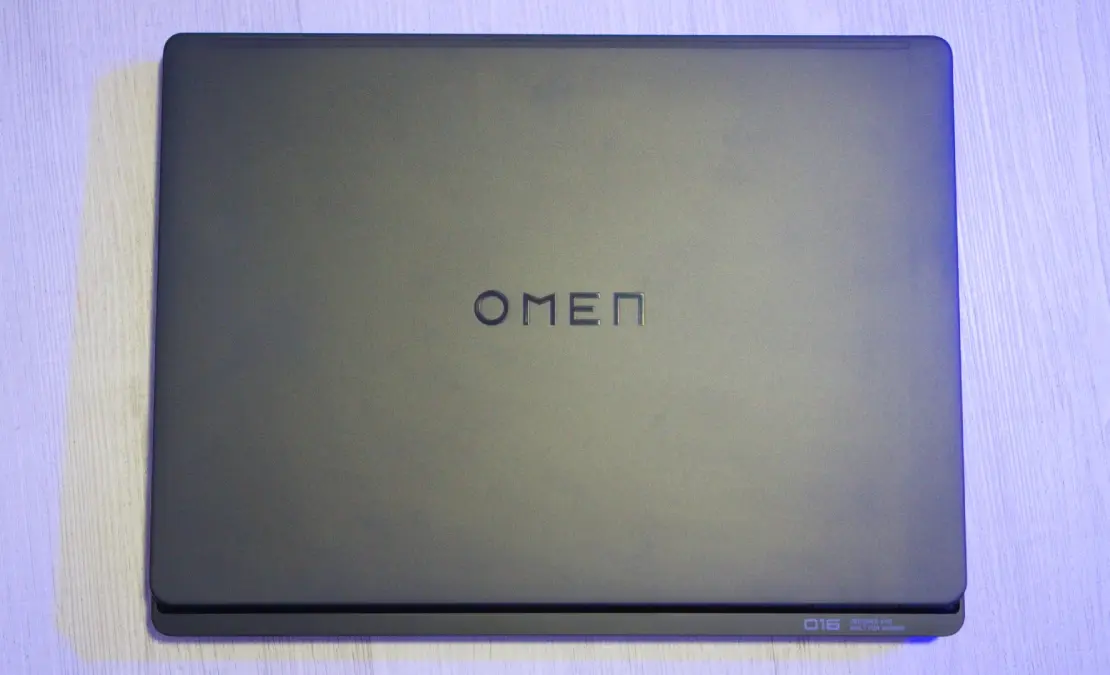

Most 16-inch gaming laptops force you to choose between premium build quality and reasonable pricing. HP’s Omen Max 16 (starting at $1,699; $3,509 as tested) refuses that compromise. Our benchmark testing with Intel’s 24-core Core Ultra 9 275HX and Nvidia’s GeForce RTX 5080 revealed performance that beat 78% of systems in 3DMark’s Fire Strike Ultra database while undercutting competitors by $1,000 or more.
The 240Hz OLED display produced full color gamut coverage in our SpyderX testing, and the aluminum chassis showed zero flex under pressure. Battery life proved dismal at barely three hours, and the 5.9-pound weight won’t win portability awards. But if you treat this as a desktop that occasionally moves rooms rather than a true laptop, HP’s pricing makes the Omen Max 16 the smartest route into RTX 50-series gaming under $4,000.
What $1,699 Buys You (and What $3,509 Gets You)
HP sells the Intel-based Omen Max 16 in configurations spanning from capable mainstream to near-desktop performance. The entry point sits at $1,699 with Intel’s Core Ultra 7 255HX, an RTX 5070 GPU, 16GB DDR5 memory, and a 1TB NVMe SSD. Customization options climb through RTX 5080 and 5090 graphics cards, max out at 64GB of RAM, and offer up to 2TB of storage.
Display options range from 1,920-by-1,200-pixel or 2,560-by-1,600-pixel 165Hz IPS panels to the 240Hz OLED screen in my review unit. The OLED upgrade costs $190 but transforms the visual experience. HP also sells AMD-based variants with Ryzen AI processors, though those models max out at the RTX 5080 and skip the OLED option.
Our test configuration includes the Core Ultra 9 275HX (24 cores, 5.4GHz turbo), GeForce RTX 5080 with 16GB VRAM, 32GB of DDR5-5586 RAM, a 1TB SK hynix NVMe SSD, and Windows 11 Pro. This setup costs $3,509, representing a middle ground between the base model and the absolute maximum specs.
Value Comparison
In raw performance per dollar, HP’s positioning proves competitive. The base configuration offers significantly better value than Razer’s Blade 16, which starts at $2,399 with just an RTX 5060. Even my fully loaded test unit costs about $1,000 less than a comparable Blade 16, making the Omen Max 16 one of the more budget-conscious routes into RTX 50-series gaming, relatively speaking.
Build Quality Impresses, But Size and Weight Don’t
HP shows restraint with gaming laptop styling here. One RGB light bar runs along the front edge, and that’s the extent of the flashiness. You’ll notice the physical footprint long before the aesthetics. At 0.98 by 14 by 10.6 inches (HWD) and 5.9 pounds, this laptop occupies more desk space and backpack weight than Razer’s Blade 16 (0.9 by 14 by 9.6 inches, 5.4 pounds).
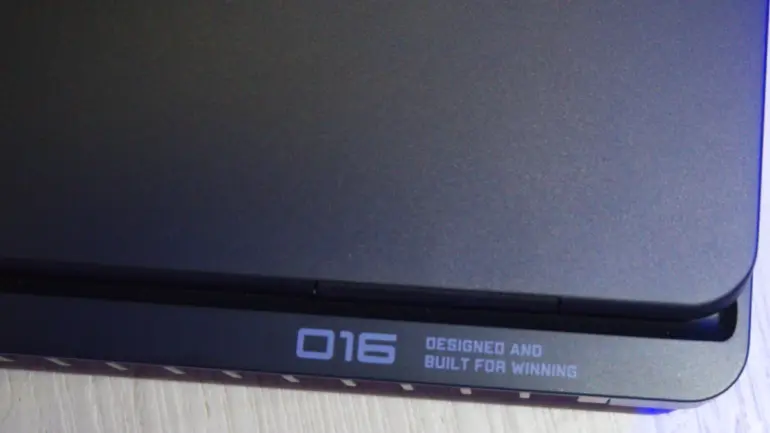
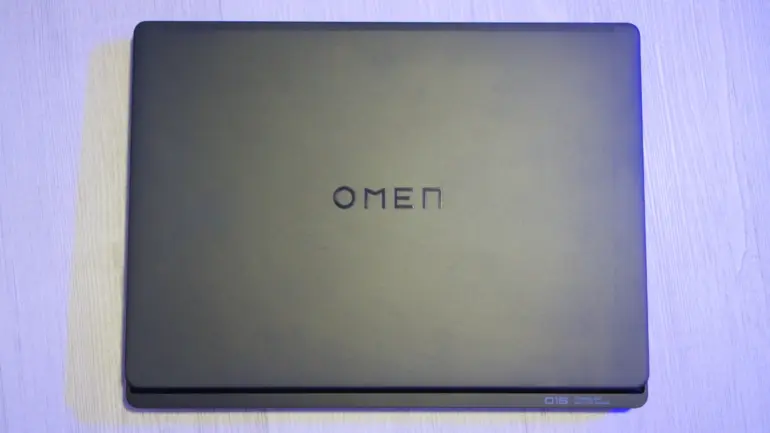
HP’s aluminum chassis feels exactly as it should: solid, with zero flex. The laptop’s upper half comprises a single piece of metal, and every edge shows immaculate finishing, even sections that rarely see contact. Branding stays tastefully minimal on the lid and beneath the display, though the bold “O16” inscription on the palm rest veers toward ostentation. For those preferring brighter aesthetics, HP offers the chassis in Ceramic White.
Ports and Connectivity
The port selection covers all essential bases:
- Thunderbolt 4 (USB Type-C): Two ports for high-speed data and display output
- USB Type-A: Two ports for legacy peripherals
- HDMI 2.1: Full 4K 120Hz output to external displays
- Ethernet: 2.5Gbps jack for wired networking
- Audio: 3.5mm combo jack for headsets
HP positions the AC power jack and several ports along the rear edge, minimizing visible cable clutter during use. The integrated Intel BE200 wireless card supports Wi-Fi 7 and Bluetooth 5.4, ensuring compatibility with the latest networking standards.
Though the Omen lacks a fingerprint reader, the 1080p webcam compensates with an infrared sensor for Windows Hello face authentication, a sliding privacy shutter, and impressively clear video quality. HP backs the system with a one-year warranty.
That $190 OLED Upgrade Changes Everything
Most gaming laptops compromise everyday usability in pursuit of frame rates. The Omen Max 16 breaks that pattern. I spent as much time editing photos and writing articles on this machine as playing Cyberpunk 2077, and the experience stayed consistently excellent. The secret? That optional 240Hz OLED display transforms this from gaming-only hardware into genuine productivity equipment.
Display Quality: OLED Excellence
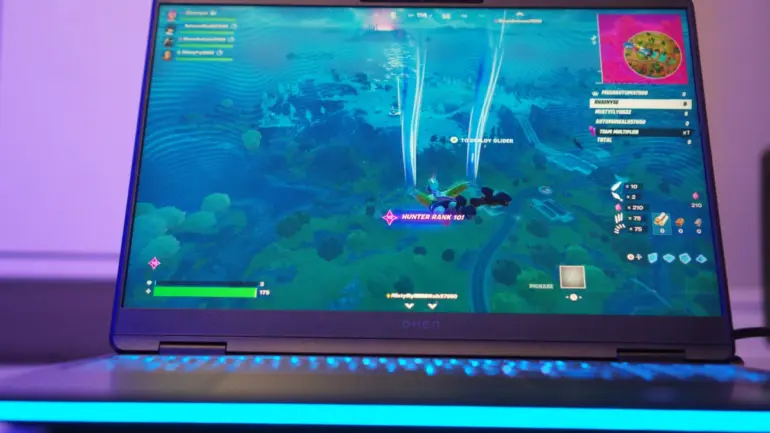
Thanks to the thick chassis and top-mounted hinges, the display sits closer to eye level than most mainstream laptops. While I didn’t test the IPS panel options, I can confidently say the 2,560-by-1,600-pixel OLED justifies its $190 premium. It produces rich, vivid imagery at a 240Hz refresh rate, eliminating frame tearing in fast-paced games while making everyday tasks feel remarkably fluid. Scrolling through documents and web pages feels so smooth that previous computers seem like they operated in slideshow mode.
The glossy surface presents the only real downside, attracting dust and suffering from reflections in environments with uncontrollable lighting. For color-critical work or HDR content, however, the OLED panel delivers exceptional accuracy and contrast.
Keyboard and Layout
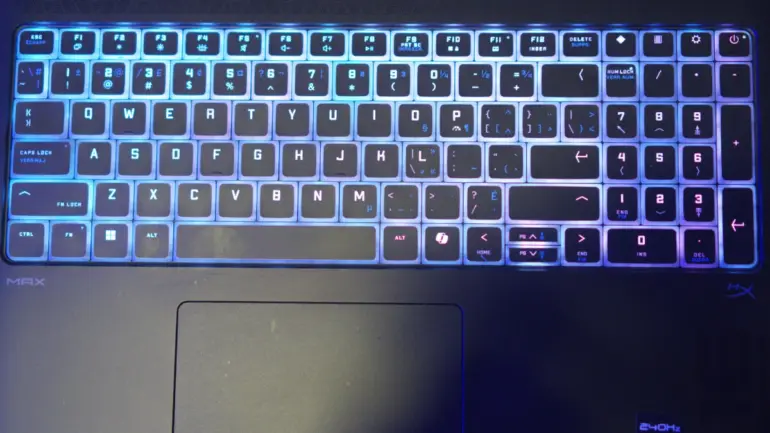
This laptop uses its generous chassis intelligently by including a nearly full-size number pad. While the mismatched arrow keys prove irksome, you’ll find several thoughtful layout perks. Function key shortcuts (Fn+F10 and Fn+F11) toggle the Windows key and touchpad, while dedicated buttons above the number pad provide quick access to the Omen Gaming Hub, Windows 11 settings, and calculator.
The key feel leans light and rubbery, lacking the tactile precision of mechanical switches. Despite this, I easily hit my personal best of 120 words per minute in the MonkeyType typing test. I’d nonetheless welcome an optional mechanical keyboard for buyers prioritizing typing feel over silent operation.
Software Customization
The Omen Light Studio app controls per-key RGB backlighting and the front light bar. HP includes numerous presets (wave, breathing, color cycle) plus interactive modes like an audio visualizer. You can create custom layered effects with adjustable brightness.
HP’s Omen Gaming Hub extends beyond basic tuning with granular overclocking controls, including per-core CPU multipliers, voltage adjustments, and GPU core and memory offsets. Additional utilities include a macro key editor, fan-cleaning tool, and schedulable junk-file cleaner. On the social side, the app features a user-generated wallpaper gallery with upload functionality.
Thermal and Acoustic Performance
The chassis remains comfortably lukewarm even during extended gaming sessions. The Omen runs quietly in daily productivity use, with fans only occasionally ramping up to audible levels (well within expectations for a gaming laptop). HP’s built-in speakers deliver clear sound quality with enough volume to overpower fan noise during intense workloads.
The only significant compromise for everyday usability comes from fleeting battery life, which I’ll address in the testing section.
Benchmark Results: Core Ultra 9 275HX Beats Older Core i9 Chips
Our test configuration packs near-maximum hardware: Intel’s Core Ultra 9 275HX (24 cores, 5.4GHz turbo), Nvidia’s GeForce RTX 5080 (16GB VRAM), 32GB DDR5-5586 RAM, a 1TB SK hynix NVMe SSD, and Windows 11 Pro. Only the RAM (expandable to 64GB) and storage (up to 2TB) leave room for upgrades.
Comparison Systems
Two RTX 50-series laptops headline our testing charts: the Razer Blade 16 ($4,499 as tested with RTX 5090) and the MSI Raider 18 HX AI ($3,999 as tested with RTX 5090). We’ve also included last-generation flagships for context: the Acer Predator Helios 18 ($3,099 as tested, RTX 4090) and the Asus ROG Strix Scar 18 ($3,899 as tested, RTX 4090).
Productivity and Content Creation Benchmarks
Our primary overall benchmark, UL’s PCMark 10, runs systems through productivity apps ranging from web browsing to word processing and spreadsheet work. Its Full System Drive subtest measures storage throughput. Three additional tests focus on CPU performance: Maxon’s Cinebench 2024 renders a complex scene using the Cinema 4D engine, Primate Labs’ Geekbench 6.3 Pro simulates popular applications from PDF rendering to machine learning, and HandBrake 1.8 transcodes a 12-minute 4K video clip to 1080p resolution. Finally, Puget Systems’ PugetBench for Creators evaluates image editing performance through automated Adobe Photoshop 25 operations.
The Omen Max 16 proved potent across the board, particularly in general productivity testing and certain CPU-centric tasks. While not claiming first place in this comparison group, the laptop took silver in PCMark 10’s Overall Score and Geekbench 6’s Multi-Core test.
HP’s laptop couldn’t topple MSI’s powerful Raider 18, but the Core Ultra 9 275HX comfortably outpaced older Core i9 silicon in the Acer and Asus systems during Geekbench testing. The Intel-equipped Omen also decisively outgunned the Razer’s AMD Ryzen chip in every CPU-centered benchmark except Photoshop. However, that previous-generation Intel Core i9 silicon showed staying power in Cinebench and HandBrake workloads. The 18-inch Asus laptop notably extracted exceptional performance from its Core i9 in Photoshop operations.
The Omen Max 16 delivers more productivity power than the maxed-out Razer Blade 16 while costing substantially less. MSI’s Raider dominated both systems in every test except PCMark’s Storage benchmark, proving its category leadership at a higher price point. Those older Core i9-14900HX chips remain competitive for multicore workloads.
RTX 5080 Benchmarks Show DLSS 4 Delivers 272% Performance Boost
UL’s 3DMark suite reveals how the RTX 5080 handles everything from legacy DirectX 11 workloads to cutting-edge ray tracing. We ran five core tests: Wild Life and Wild Life Extreme (Vulkan API), Steel Nomad standard and Light (DirectX 12 and Metal), plus Solar Bay for ray tracing assessment. The real story emerged in the DLSS 4 feature test, where frame generation technology transformed slideshow frame rates into smooth gameplay.
3DMark Synthetic Benchmark Results
The HP Omen Max 16 with RTX 5080 delivered competitive scores across 3DMark’s suite:
Fire Strike Ultra (DirectX 11)
- Overall Score: 11,050
- Graphics Score: 10,843
- Physics Score: 47,935
- Combined Score: 5,495
- Performance Context: Better than 78% of all results in 3DMark’s database, exceeding the average 2023 gaming PC (10,121) and significantly outperforming the average 2023 gaming laptop (6,692)
Speed Way (DirectX 12 Ultimate)
- Overall Score: 4,338
- Graphics Score: 4,338
- Performance Context: Better than 39% of all results, just below the average 2023 gaming PC (4,426) but well above the average 2023 gaming laptop (2,845)
Solar Bay (Ray Tracing)
- Overall Score: 77,079
- Graphics Score: 77,079
- Performance Context: Better than 53% of all results, below the average 2023 gaming PC (84,924) but substantially ahead of the average 2023 gaming laptop (53,297)
Solar Bay Extreme (Intensive Ray Tracing)
- Overall Score: 15,904
- Graphics Score: 15,904
The Omen’s 3DMark scores landed solidly in the upper-middle range for this competitive comparison group. The Razer laptop’s RTX 5090 implementation pulled ahead in most synthetic tests, while the HP outpaced RTX 4090-equipped Acer and Asus systems primarily in the Steel Nomad benchmarks.

Advanced Graphics Features Testing
Modern GPUs include specialized features that dramatically improve performance in supported games. We tested four cutting-edge technologies:
NVIDIA DLSS 4 (4K Resolution)
- DLSS Off: 24.27 fps
- DLSS On (Performance preset, 2x Frame Generation): 90.42 fps
- Performance Gain: 272% increase, demonstrating DLSS 4’s transformative impact on 4K gaming
Mesh Shaders
- Mesh Shaders Off: 324.57 fps
- Mesh Shaders On: 512.72 fps
- Performance Gain: 58.0% improvement in geometry processing
Sampler Feedback
- Sampler Feedback Off: 488.89 fps
- Sampler Feedback On: 562.97 fps
- Performance Gain: 15.2% optimization for texture streaming
Variable Rate Shading (VRS Tier 1)
- VRS Off: 1,104.3 fps
- VRS On: 1,584.5 fps
- Performance Gain: 43.5% boost in rendering efficiency
These feature tests demonstrate the RTX 5080’s capability to leverage modern game engine optimizations, with DLSS 4’s frame generation technology proving particularly transformative for high-resolution gaming.
Real-World Gaming Performance
Our real-world testing uses in-game benchmarks from three titles representing distinct genres: Call of Duty: Modern Warfare 3 (competitive shooter), Cyberpunk 2077 (open-world RPG), and F1 2024 (racing simulation). We benchmark at the system’s native 1080p or 1200p resolution, then rerun tests at the QHD equivalent (1440p or 1600p) if the display supports higher resolutions.


Our Call of Duty test encountered a game-side compatibility issue unrelated to the Omen hardware, preventing result collection. For Cyberpunk 2077, we run two demanding presets: Ultra graphics without upscaling, then Ray Tracing Overdrive without DLSS or FSR to stress-test the GPU. F1 2024 demonstrates DLSS effectiveness for frame-boosting upscaling technologies. (The Razer laptop produced inconsistent F1 24 numbers, preventing accurate comparison.)
HP’s gaming laptop held its ground in real-world gameplay, scoring competitively with the MSI Raider 18 in F1 2024 and maintaining playable performance in Cyberpunk 2077’s demanding Ray Tracing Overdrive preset. These results position the Omen among the highest performers in the 16-inch class, at least among systems we’ve tested as of this review.
Storage Performance
The SK hynix PCB01 1TB NVMe SSD delivered respectable but not exceptional results in 3DMark’s Storage Benchmark:
- Overall Score: 2,244
- Average Bandwidth: 379.71 MB/s
- Average Access Time: 79 microseconds
Gaming-Specific Task Performance:
- Move game: 1,611.35 MB/s (161 µs access)
- Load Battlefield V: 829.74 MB/s (88 µs access)
- Load Call of Duty: 610.93 MB/s (103 µs access)
- Load Overwatch: 381.27 MB/s (60 µs access)
- Install game: 171.61 MB/s (78 µs access)
- Save game: 151.51 MB/s (50 µs access)
- Record game: 140.54 MB/s (60 µs access)
While these speeds suffice for gaming workloads, they fall short of cutting-edge PCIe Gen 4 drives. Game loading times remain reasonable, but users handling large video files or frequent game installations might consider upgrading to a faster drive.
Battery Life Disappoints, Display Testing Impresses
Our standard battery test runs a locally stored 720p video file (Blender’s open-source Tears of Steel) at 50% brightness and 100% volume with Wi-Fi and keyboard backlighting disabled. The Omen Max 16 struggled through this test, barely reaching the three-hour mark.
Display quality testing uses a Datacolor SpyderX Elite calibration sensor to measure color gamut coverage (sRGB, Adobe RGB, DCI-P3) and brightness output. Here, the OLED panel exceeded expectations.
Battery Reality: Plan for the Outlet
The Omen’s battery life functions more as emergency backup than true mobile power. You’ll struggle to squeeze in a full movie away from the outlet. Even the power-hungry MSI Raider 18 lasted more than twice as long. This limitation stems from the combination of a power-hungry Core Ultra 9 processor, RTX 5080 GPU, and brightness-intensive OLED display. For buyers treating this as a desktop replacement that occasionally moves between rooms, the battery compromise proves acceptable. For students or professionals requiring genuine all-day portability, look elsewhere.
Display Excellence: OLED Color and Brightness
On the bright side, the Omen’s screen delivers knockout visual quality. Our testing revealed full color spectrum coverage across the sRGB gamut (essential for web content), extensive Adobe RGB coverage (valuable for photo editing), and excellent DCI-P3 representation (important for HDR video). Brightness measurements showed impressive output for an OLED panel, maintaining visibility in brightly lit environments without the backlight bleed common in IPS alternatives.
MSI’s Raider 18 features an even more dazzling mini-LED screen with higher peak brightness, but that system commands a substantially larger footprint and budget.
Buy This Laptop If You Never Unplug It
The Omen Max 16 targets a narrow but well-defined audience:
Ideal Buyers:
- Desktop replacement seekers wanting portability between rooms, not true mobile computing
- Gamers prioritizing display quality (OLED) and high refresh rates (240Hz)
- Content creators needing strong CPU performance for video editing and 3D rendering
- Budget-conscious enthusiasts wanting RTX 50-series performance under $4,000
- Users who value software customization (overclocking, RGB control, macro programming)
Consider Alternatives If:
- You prioritize battery life and genuinely mobile computing
- Maximum gaming performance justifies a $1,000 premium (Razer Blade 16 with RTX 5090)
- You need the lightest possible 16-inch gaming laptop
- Storage speed matters more than GPU power (consider models with faster Gen 4 SSDs)
- You prefer understated professional aesthetics over gaming styling
Competitive Positioning
For buyers seeking the best high-end big-screen gaming laptop regardless of price, the MSI Raider 18 HX AI earned our Editors’ Choice award with its dominant benchmark performance. However, that system costs $500 more and adds considerable bulk.
Razer’s Blade 16 delivers superior gaming performance in a trimmer chassis, but commands a $1,000 premium for similar internal components. That extra cost buys refined industrial design and slightly better synthetic benchmark scores, though real-world gaming differences remain modest.
If you can find the Omen Max 16 on sale (HP frequently discounts last season’s configurations), it delivers excellent value as a desktop replacement. The base $1,699 configuration with RTX 5070 offers strong 1080p gaming performance for buyers not requiring absolute maximum settings.
The Verdict: Best RTX 5080 Laptop Under $4,000
HP nailed the balance between performance and price with the Omen Max 16. Our benchmark testing confirmed what the spec sheet promised: Intel’s Core Ultra 9 275HX outpaces previous-generation Core i9 silicon in multi-threaded workloads, the RTX 5080 delivers playable frame rates at 1600p resolution with DLSS enabled, and the 240Hz OLED panel reproduces colors accurately enough for professional photo editing. The Omen Gaming Hub software provides granular control over voltages and clock speeds that enthusiasts crave.
Reality check time: battery life barely reaches three hours, the 5.9-pound chassis feels substantial in any backpack, and the SK hynix SSD performs adequately but not exceptionally. These compromises matter if you need genuine portability. They fade into irrelevance if you park this laptop on a desk and occasionally carry it between rooms.
Pricing tells the real story. At $3,509 as tested, this configuration costs roughly $1,000 less than Razer’s Blade 16 with comparable internals. The base $1,699 model offers even stronger value for 1080p gaming. You can spend more and gain marginal performance improvements, or spend less and sacrifice build quality. The Omen Max 16 occupies the sweet spot between those extremes.
The HP Omen Max 16 is available now starting at $1,699 through HP.com, Best Buy, and other major retailers. Our test configuration costs $3,509.
GameHaunt maintains editorial independence in all reviews. We purchase retail units or receive review samples from manufacturers, but product assessments remain unbiased. HP provided the Omen Max 16 review unit for testing. This review contains affiliate links; purchases made through these links support our independent testing at no additional cost to you.
Frequently Asked Questions
Does the HP Omen Max 16 get hot or loud during gaming?
Should I buy the base configuration or upgrade to the OLED display?
What’s the actual battery life during normal use (not just video playback)?
Can the HP Omen Max 16 handle 4K gaming?
How does the RTX 5080 compare to the RTX 4090 in real-world gaming?
Is the HP Omen Max 16 worth the price compared to cheaper gaming laptops?
Technical Specifications Summary
| Specification | Details |
|---|---|
| Starting Price | $1,699 (base configuration) |
| As Tested Price | $3,509 |
| Processor | Intel Core Ultra 9 275HX (24 cores, 5.4GHz turbo, 3nm process) |
| Graphics | NVIDIA GeForce RTX 5080 (16GB GDDR6) |
| Memory | 32GB DDR5-5586 (2x 16GB SK Hynix modules, expandable to 64GB) |
| Storage | 1TB SK hynix PCB01 NVMe SSD (expandable to 2TB) |
| Display | 16-inch 2,560-by-1,600-pixel OLED, 240Hz refresh, 16:10 aspect ratio |
| Dimensions (HWD) | 0.98 by 14 by 10.6 inches |
| Weight | 5.9 pounds |
| Battery Life | ~3 hours (video playback test) |
| Ports | 2x Thunderbolt 4, 2x USB-A, HDMI 2.1, 2.5Gbps Ethernet, 3.5mm audio |
| Wireless | Wi-Fi 7 (Intel BE200), Bluetooth 5.4 |
| Webcam | 1080p with IR sensor for Windows Hello, privacy shutter |
| Operating System | Windows 11 Pro (as tested) |
| Warranty | One year |


